Renovex – Construction WordPress Theme
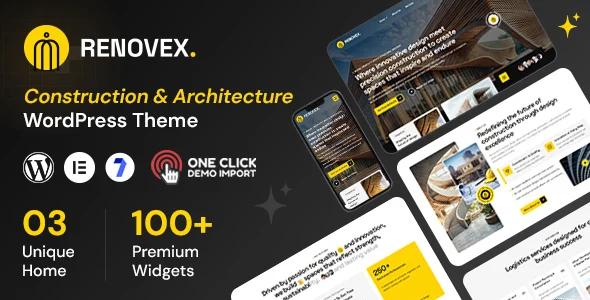
Renovex Construction WordPress Theme delivers three Elementor homepage layouts, demo import, and WPML support for contractor and architecture sites.
- Daily automated updates
- VirusTotal 0/70 clean
- Licensed under GPL
- Secure 256-bit checkout
- Instant direct cloud link
What Is Renovex Construction WordPress Theme?
Renovex Construction WordPress Theme is a PHP/CSS/JS theme package engineered for agencies and freelance developers building contractor, architecture, and renovation firm websites on WordPress 6.6.x through 7.1.x. It resolves the recurring bottleneck of assembling a complete construction-sector information architecture — services, project portfolios, team, testimonials, pricing, and contact flows — by shipping 18+ prebuilt inner pages and three homepage variants instead of requiring per-project template authoring. In agency staging and production workflows, it functions as the presentation layer atop WordPress and Elementor, with Contact Form 7 handling form submissions and WPML managing multilingual routing.
Key Features of the Theme
Runtime execution follows the standard WordPress template hierarchy: PHP templates resolve per route, Elementor renders section widgets into the DOM, and CSS/JS assets are enqueued for browser-side layout and interaction. Global fonts and colors are managed through a centralized panel, so design-token changes propagate across all pages without per-template edits.
Architectural Highlights
- Elementor and Elementor Pro Integration: Pages compose through the drag-and-drop builder engine; the codebase ships PHP templates, CSS, and JS that register theme widgets and support Elementor Pro dynamic content structures.
- One-Click Demo Import: A single importer routine provisions demo pages, widgets, and media, collapsing multi-day content scaffolding into one administrative operation for faster project kickoff.
- Global Design Control Panel: Centralized typography and color management writes consistent tokens site-wide, reducing CSS override sprawl during client revisions.
- Functional Form Layer: Contact and quote forms run through Contact Form 7, delegating submission validation, anti-spam filtering, and mail dispatch to the plugin’s pipeline rather than custom post handlers.
- Interaction Assets: Animated counters, image and video galleries, and scroll-triggered effects ship as bundled JS modules, with widget-ready sidebar zones extending layout flexibility.
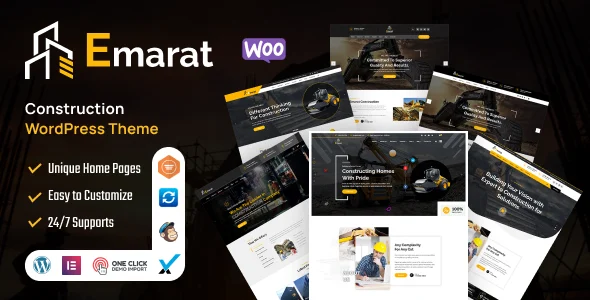
For teams needing an alternate contractor codebase with WooCommerce transaction handling, comparing the stack against Emarat Construction WordPress Theme clarifies which architecture fits commerce-driven builds versus pure portfolio sites.
Who Should Use This Theme?
This package targets WordPress developers and agencies delivering client sites for construction companies, builders, architecture firms, renovation contractors, property development firms, engineering consultancies, and interior or landscape design teams. It suits production contexts where Elementor is the accepted editing workflow and a multi-page corporate structure must ship quickly with predictable maintenance. It is not designed for developers who require headless WordPress decoupling or custom front-end frameworks — rendering is bound to PHP templates and the Elementor widget layer, so teams needing fully custom React or Vue front ends should evaluate a different architecture.
Compatibility & Runtime Requirements
Deployment assumes a standard LAMP-style WordPress host meeting the theme’s declared runtime matrix below.
| Engineering Metric | Deployment Specification |
|---|---|
| Base Technology | PHP, CSS, and JS theme package (ThemeForest file set) |
| Runtime Requirements | WordPress 6.6.x through 7.1.x; standard PHP hosting |
| Communication Protocols | HTTP(S) form submission via Contact Form 7; browser-side DOM interaction |
| Core Dependencies | Elementor and Elementor Pro; Contact Form 7; WPML for multilingual routes |
| Storage & Output | Responsive layout, high-resolution assets, Gutenberg-optimized, widget-ready zones, 4+ column grids |
How to Install & Deploy the Theme
Deployment follows the conventional WordPress theme installation path and completes within a single administrative session.
- Environment Pre-check: Confirm the server runs a supported WordPress version (6.6.x–7.1.x) and install the required plugins — Elementor, Contact Form 7, and WPML if multilingual output is needed.
- Package Upload: Upload the theme archive through the administration interface, or extract the PHP, CSS, and JS files into the themes directory on the host.
- Direct Activation: Activate the theme from the admin panel; the header/footer builders, page templates, and importer modules become operational immediately.
- Configuration & Testing: Run the one-click demo import, adjust global fonts and colors in the central panel, populate the About, Services, Projects, Team, Pricing, Testimonials, Gallery, FAQ, Blog, and Contact routes, then verify responsive output and form delivery.
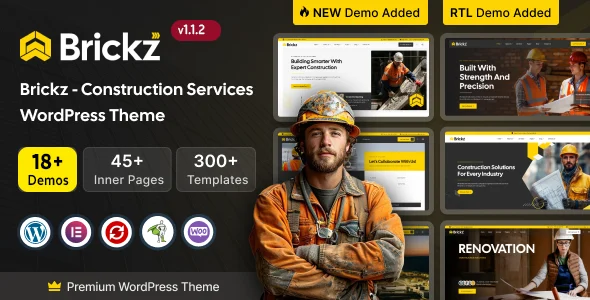
When the same Elementor workflow must serve a broader contractor portfolio with multiple demo variants, Brickz Construction WordPress Theme provides an 18-demo codebase with a template builder layer worth benchmarking against this package.
Frequently Asked Questions
Does the theme support Gutenberg alongside Elementor?
Yes. The package is declared Gutenberg-optimized, so native block editing works for blog and content routes, while Elementor governs the composed landing, homepage, and service page structures without conflict.
Can the codebase be localized for multilingual construction clients?
Yes. WPML compatibility is declared, letting developers register translation sets for all 18+ included pages and run language-switched routes across services, projects, and pricing templates.
Which browsers are verified for frontend rendering?
Yes — Firefox, Safari, Opera, Chrome, and Edge are the declared compatible browsers, with the responsive, high-resolution layout maintaining consistent DOM rendering and scroll interactions across all five engines.