Remons – WooCommerce Booking & Rental WordPress Theme
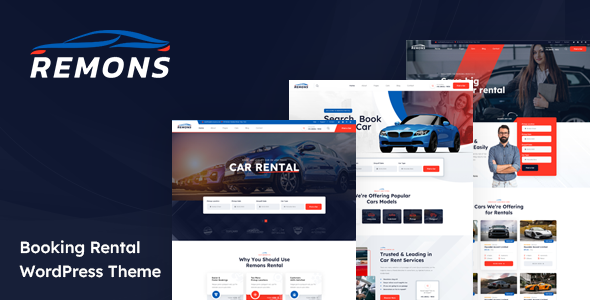
Remons booking rental WordPress theme delivers an Elementor-driven rental and booking architecture for car, villa, equipment, and scooter rental deployments.
- Daily automated updates
- VirusTotal 0/70 clean
- Licensed under GPL
- Secure 256-bit checkout
- Instant direct cloud link
What Is Remons Booking Rental WordPress Theme?
Remons is a WordPress theme engineered for agencies and independent developers building rental and booking websites across vehicle, property, and equipment verticals. It resolves the recurring bottleneck of assembling multi-vertical rental layouts by shipping a single codebase that adapts its presentation layer to car, villa, equipment, taxi, scooter, shipping, and medical rental scenarios. In production, it functions as the presentation and template layer over a WooCommerce-backed rental workflow, with page composition delegated to Elementor.
Key Features of the Theme
The theme renders pages through the WordPress template hierarchy while delegating layout construction to the Elementor engine, which parses widget definitions into DOM output at request time. This separation keeps template overrides confined to theme files while layout changes remain editor-side operations.
Architectural Highlights
- Full Elementor page-builder integration: All page composition runs through Elementor widgets, so developers assemble layouts visually without writing custom PHP templates for standard pages, reducing template fragmentation across a project.
- Header template system: Multiple header templates are built as reusable Elementor templates and assigned per page, allowing distinct navigation structures for storefront, booking, and informational page types without touching header.php.
- Footer template system: Footer templates follow the same per-page assignment model, so regional or vertical-specific footer layouts can be swapped independently of the active header configuration.
- WooCommerce product detail templating: Product page templates are constructed with Elementor and expose the full widget set on the product detail page, letting teams restructure rental product listings directly in the editor.
- Multi-vertical demo presets: Pre-built demos for villa, equipment, scooter, shipping, and medical rental scenarios act as deployment baselines that can be imported and modified rather than rebuilt.
For operators running rental storefronts where optional add-ons must attach to bookable products, pairing the theme with WooCommerce Product Addons extends the product detail layer with configurable option fields without custom development.
Who Should Use This Theme?
This codebase targets WordPress developers and small agency teams delivering client rental sites where time-to-deploy matters more than bespoke backend logic. It fits multi-project agency toolkits that standardize on Elementor, since header, footer, and product templates all remain inside one builder ecosystem. Teams running hospitality or equipment rental clients can also benchmark it against adjacent packages such as Hoteller Hotel Booking Theme when accommodation-focused reservation flows dominate the requirements. It is not intended for developers who need raw, builder-free PHP templates or headless WordPress decoupled frontends, as the architecture assumes Elementor drives rendering.
Compatibility & Runtime Requirements
The theme operates within a standard WordPress plus WooCommerce runtime, with Elementor required as the active page-building engine.
| Engineering Metric | Deployment Specification |
|---|---|
| Base Technology / Framework | WordPress theme layered on WooCommerce for rental product handling |
| Runtime / Language Requirements | PHP-based WordPress runtime per current WordPress core minimums |
| Data Exchange / Communication Protocols | Standard WordPress request/render cycle; WooCommerce checkout and cart flows |
| Core Dependencies / Engine Compatibility | Elementor page builder required for page, header, footer, and product templates |
| Database / Storage Footprint | Standard WordPress database tables; no custom schema documented |
How to Install & Deploy the Theme
Deployment follows the standard WordPress theme installation workflow, with Elementor and WooCommerce verified beforehand so template assignment works on first activation.
- Environment pre-check: confirm the server runs a compatible PHP version, WordPress is current, and both WooCommerce and Elementor plugins are installed and active.
- Package upload: upload the theme archive through the WordPress administration interface under Appearance, or transfer the extracted files into wp-content/themes via SFTP.
- Direct activation: activate the theme from the Appearance screen; menus, template assignment controls, and core rental modules become operational immediately.
- Configuration & testing: import the demo preset matching the target vertical (car, villa, equipment, scooter, shipping, or medical), assign header and footer templates per page in Elementor, and validate the product detail page rendering against the WooCommerce catalog.
Frequently Asked Questions
Can different pages use different header and footer templates?
Yes. Both header and footer layouts are built as separate Elementor templates, and the assignment interface lets you bind a specific header and footer to each individual page rather than forcing one global layout.
Does the theme require Elementor to function?
Yes. Page composition, header templates, footer templates, and the WooCommerce product detail page templates are all built through Elementor, so the builder must be active for the documented workflow to operate.
Is the product detail page customizable in the editor?
Yes. The theme supports building product page templates with Elementor and exposes its full element set inside the product detail page, so rental product layouts are restructured visually instead of via template file edits.