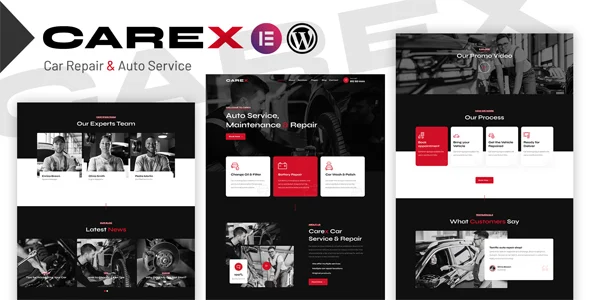
Carex – Car Repair Auto Service Elementor WordPress Theme
Carex Car Repair Auto Service Elementor WordPress Theme delivers 8 demos, 30+ Elementor widgets, Redux options, and Bootstrap 5 layout for mechanic sites.
- Daily automated updates
- VirusTotal 0/70 clean
- Licensed under GPL
- Secure 256-bit checkout
- Instant direct cloud link
What Is Carex Car Repair Auto Service Elementor WordPress Theme?
Carex Car Repair Auto Service Elementor WordPress Theme is a WordPress theme built on the Elementor page builder, engineered for developers and agencies deploying sites for mechanic workshops, auto repair services, tire shops, battery suppliers, and car-related businesses. It resolves the recurring bottleneck of hand-coding service-oriented layouts by exposing 30+ custom Elementor widgets and eight prebuilt demos that can be imported in a single operation. In production workflows, it functions as the presentation layer of a standard WordPress install, with template logic, widget registration, and options storage handled through PHP files, a bundled Carex plugin, and the Redux framework.
Key Features of the Theme
The theme renders pages through the Elementor DOM builder: each widget injects its own markup, Owl Carousel and Magnific Popup handle slider and gallery event dispatch on the client, and Redux persists configuration as WordPress options read at template load time. Bootstrap 5 supplies the responsive grid that governs breakpoint behavior across desktop, tablet, and mobile viewports.
Architectural Highlights
- Dual Page Architectures: Ships both One-Page and Multi-Page demo variants across 8 ready demos, letting developers anchor-link single-scroll service sites or index-friendly multipage structures without rebuilding navigation logic.
- 30+ Custom Elementor Widgets: Registers purpose-built builder widgets through the companion Carex plugin, extending the native Elementor panel instead of relying on shortcode blocks inside text editors.
- Redux Options Framework: Stores theme-wide settings (typography, map styles, header behavior) in a serializable options array, isolated from page-level Elementor data so global changes propagate without touching widget instances.
- Media Presentation Stack: Includes Owl Carousel for swipe-enabled sliders with touch support, a Masonry project grid, and Magnific Popup for YouTube, Vimeo, and custom popup video events bound to gallery anchors.
- Asset Layer: Distributed as PHP, CSS, and JS files with valid HTML5/CSS3 output, Font Awesome, Themify, and Car Flaticon icon sets, Animate CSS transitions, and unlimited Google Fonts loaded through the admin panel.
For teams that need additional builder components beyond the bundled set, pairing the install with Ultimate Addons for Elementor extends the widget inventory with repeater-driven tabs and responsive layout controls that follow the same Elementor rendering pipeline.
Who Should Use This Theme?
This package fits freelance developers and agency teams building client sites for garages, detailing shops, motor service centers, and automotive parts retailers who want page-builder-driven maintenance handoffs. The included child theme makes it a practical base for customized client builds where template overrides and stylesheet extensions must survive core file updates. It suits WordPress professionals comfortable with Elementor, Redux panels, and Contact Form 7 wiring. It is not intended for operators who expect a fully locked, no-configuration product: demo imagery is preview-only and must be replaced, and map styling requires supplying an API key at the admin level.
Compatibility & Runtime Requirements
The theme targets self-hosted WordPress environments and inherits the server baseline of any standard LAMP stack capable of running current WordPress core.
| Engineering Metric | Deployment Specification |
|---|---|
| Base Technology / Framework | PHP theme with Bootstrap 5 responsive grid; valid HTML5 / CSS3 markup |
| Runtime Requirements | WordPress 6.5.x through 7.1.x |
| Builder Compatibility | Elementor and Elementor Pro |
| Multilingual Support | WPML compatible |
| Form Handling | Contact Form 7 with bundled styling |
| Storage Footprint | PHP, CSS, and JS files; demo dummy content supplied as XML data |
| Browser Coverage | IE10, IE11, Firefox, Safari, Opera, Chrome, Edge |
How to Install & Deploy the Theme
Deployment follows the standard WordPress theme lifecycle, with a one-click demo importer handling content, widget, and menu seeding.
- Environment Pre-check: Verify the server runs a supported WordPress version (6.5.x–7.1.x) and that Elementor is installed and active, since widget registration depends on the builder loading first.
- Package Upload: Upload the theme archive through the WordPress administration interface (Appearance → Themes → Add New → Upload), then repeat for the child theme if template overrides are planned.
- Activation: Click Activate to initialize the codebase; required plugin prompts install the Carex core plugin, after which custom widgets, custom widgets area controls, and Redux admin menus become operational.
- Demo Import & Configuration: Run the one-click demo data setup to import the XML dummy content, then configure global options, map API keys, and Contact Form 7 endpoints before validating the rendered output against the live structure.
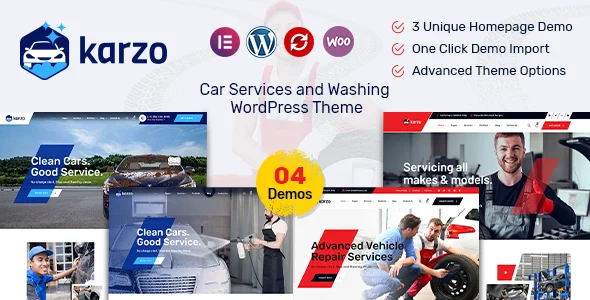
Where the project scope covers washing or detailing service variants, teams working across multiple automotive clients often stage parallel builds with Karzo Car Service Washing WordPress Theme, keeping each site on an Elementor-driven baseline with its own demo import path. Similar logic applies when a repair job escalates into a commerce requirement; pairing the build with WooCommerce Product Addons lets product pages carry selectable service fields without bespoke PHP.
Frequently Asked Questions
Does the theme include a child theme for custom template overrides?
Yes, a child theme ships inside the package. Deploying it allows developers to extend or override template files and stylesheets while preserving modifications when the parent theme core files receive updates.
Can map styles be configured without editing source files?
Yes. Version 1.0.6 introduced admin-side API key options for both light and dark map styles, so developers paste a key into the options panel rather than modifying PHP templates directly.
Are the bundled demo images safe for commercial use?
No. Preview images are licensed for demonstration only. Developers must replace them with their own media assets before the site ships to a production or client environment.
}