Codi – IT Services WordPress Theme
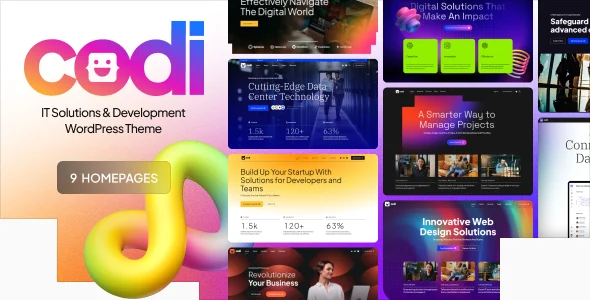
Codi IT Services WordPress Theme is a Bold Builder-driven codebase for cybersecurity, SaaS, and IT consulting sites built by developer teams.
- Daily automated updates
- VirusTotal 0/70 clean
- Licensed under GPL
- Secure 256-bit checkout
- Instant direct cloud link
What Is Codi IT Services WordPress Theme?
Codi IT Services WordPress Theme is a PHP/CSS/JS WordPress theme, engineered for agencies and development teams building websites for cybersecurity firms, SaaS providers, data centers, software houses, and IT consulting practices. The package resolves the recurring bottleneck of assembling sector-specific layouts from scratch by shipping nine distinct homepage structures plus designed inner pages, each rendered through its own drag-and-drop builder rather than hard-coded templates. Within a production workflow, it operates as the presentation layer of a standard WordPress install, wired for WooCommerce commerce, WPML localization, and one-click demo reconstruction during staging.
Key Features of the Theme
At runtime, the codebase parses builder-defined content structures into WordPress template hierarchy output, while theme options persist through the native WordPress Customizer rather than a proprietary options database. This keeps configuration portable, child-theme safe, and multisite viable.
Architectural Highlights
- Bold Page Builder with dual editing modes: The bundled builder handles drag-and-drop composition on the back end and direct front-end editing, with clipboard operations that copy or paste element sets between pages or across separate sites.
- AI Content Generator (October 2023): The builder can generate text from supplied input data during page assembly, compressing the content-creation phase of web design projects.
- Bundled Cost Calculator and Timeline plugins: A Cost Calculator component and Bold Timeline Lite ship with the package, covering quote estimation flows and chronological service roadmaps without sourcing third-party code.
- Element inventory of 30+ widgets: Accordion and tabs, counters, countdowns, masonry image and portfolio grids, progress bars, sliders, video, Google Maps and OpenStreetMap elements, plus raw HTML/JS blocks for arbitrary injection.
- Conditional rendering controls: Elements expose time-limited appearance windows, screen-resolution show/hide rules, and per-page overrides of global settings, header variants including sticky headers, mega menus, and boxed versus full-width layouts.
For structured content needs beyond stock widgets, teams that extend the schema typically pair the theme with Advanced Custom Fields Pro Plugin, reusing field groups as components across service and case-study post types.
Who Should Use This Theme?
This architecture fits WordPress developers and agency teams delivering corporate technology websites where WooCommerce 7.x through 9.x storefronts, Contact Form 7 intake, Yoast metadata, and W3 Total Cache layering are part of the stack. Its WPMU-tested and child-theme-ready structure suits multi-project agency toolkits and one-page or multi-page client builds alike, with RTL and translation-ready markup for internationalized deployments. It is not intended for teams seeking a raw, unopinionated starter: the nine demo homepages and predefined design tokens assume you will replace demo assets rather than rebuild from a blank canvas. Demo images are likewise not cleared for production reuse and must be replaced or separately licensed.
Compatibility & Runtime Requirements
Baseline deployment requires a WordPress host meeting the version matrix below; the package targets current WordPress core and recent WooCommerce major releases.
| Engineering Metric | Deployment Specification |
|---|---|
| Base Technology / Framework | WordPress theme (PHP, CSS, JS files included) |
| Runtime / Language Requirements | WordPress 6.2.x through 7.0.x |
| Core Dependencies / Engine Compatibility | WooCommerce 7.x, 8.x, 9.x; Contact Form 7; WPML; Yoast; W3 Total Cache |
| Builder / Editor Layer | Bold Builder; Gutenberg-optimized; widget-ready |
| Browser Matrix | Firefox, Safari, Opera, Chrome, Edge; responsive and retina-ready rendering |
How to Install & Deploy the Theme
Deployment follows the standard WordPress theme lifecycle with no additional configuration gates:
- Environment Pre-check: confirm the server runs a WordPress version between 6.2.x and 7.0.x and that WooCommerce is installed if commerce templates will be exercised.
- Package Upload: transfer the theme archive through the WordPress administration interface under Appearance, or via file transfer into the wp-content/themes directory.
- Direct Activation: activate the theme; Bold Builder, the importer, Cost Calculator, and Bold Timeline Lite modules initialize and become operational immediately. Running the Bold Themes importer reconstructs any of the nine demo homepages in one pass.
- Configuration & Testing: adjust colors, fonts, headers, and footer structures through the native Customizer panel, replace demo media, and validate responsive breakpoints and RTL output before pushing to production.
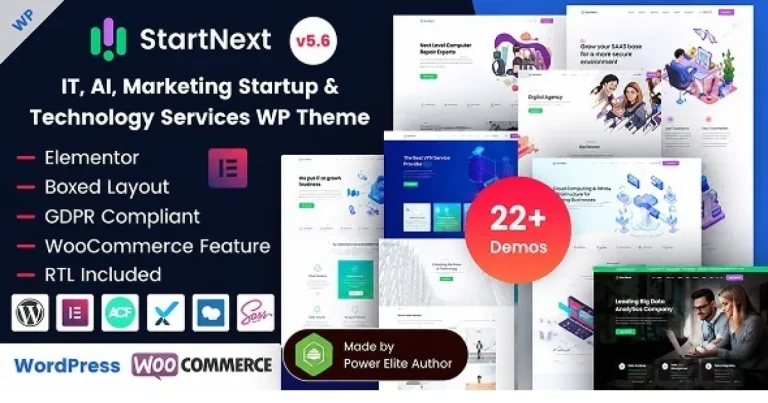
Teams planning adjacent service-sector builds can benchmark layout patterns against StartNext WordPress Theme, an alternative technology-startup codebase with Elementor-driven layouts, when scoping which builder stack best matches an existing toolkit.
Frequently Asked Questions
Does the theme require Bold Builder, or can pages be composed in Gutenberg alone?
No, the theme remains Gutenberg-optimized and widget-ready, but the bundled Bold Builder supplies the drag-and-drop element system, front-end editing, and per-element responsive visibility controls that stock block editing does not replicate.
Can a single installation run both the Cost Calculator and WooCommerce checkout flows?
Yes, the package declares compatibility with WooCommerce 7.x through 9.x and bundles the Cost Calculator component, so estimation forms and commerce templates operate on the same WordPress instance without conflicting asset pipelines.
Is WordPress Multisite (WPMU) supported for network-wide deployments?
Yes, the codebase is documented as WPMU-tested, and child-theme readiness plus native Customizer storage mean configuration can be managed per site across a network without diverging from upstream theme files.