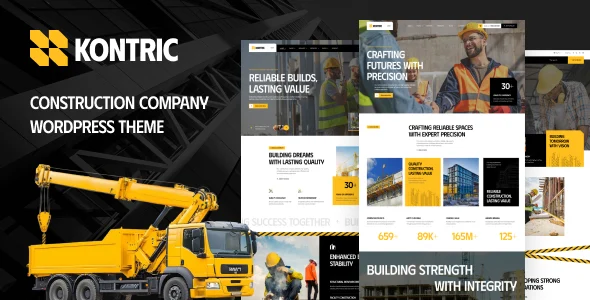
Kontric – Construction Company WordPress Theme
Kontric Construction Company WordPress Theme: an Elementor-based contractor theme with project portfolio layouts, AJAX filtering, and RTL-ready markup.
- Daily automated updates
- VirusTotal 0/70 clean
- Licensed under GPL
- Secure 256-bit checkout
- Instant direct cloud link
What Is Kontric Construction Company WordPress Theme?
Kontric Construction Company WordPress Theme is a PHP, CSS, and JS theme package engineered for agencies and independent contractors building corporate sites for construction, engineering, and industrial firms. It resolves the recurring bottleneck of hand-coding custom project and service archives by registering dedicated post types and delegating layout composition to Elementor. In production, it operates as the active WordPress theme — extended by an auto-generated child theme — so all visual edits stay isolated from the core codebase.
Key Features of the Theme
The package renders pages through the WordPress template hierarchy, overriding default archives with Elementor-built templates while shipping PHP, HTML, CSS, and JS source files for direct code inspection and modification.
Architectural Highlights
- Custom Project and Service Post Types: The codebase registers dedicated projects and services content types with structured archive and detail templates. Changelog v1.0.1 confirms these post types previously returned 404s when Elementor was inactive; the fix now keeps them queryable and adds automatic permalink rewrite flushing after updates or reactivation.
- AJAX Search and Category Filtering: Projects archives dispatch asynchronous requests to filter content by taxonomy terms without full page reloads, and the v1.0.1 patch restored category filter tabs on the projects archive after a regression.
- One-Click Demo Import: A demo importer provisions pre-built pages — Home, Services, Projects, Blog, About, and Contact — and auto-generates a child theme during import, giving developers a clean override layer.
- Design Token Surface: Unlimited color values and Google Fonts are exposed through theme options, avoiding hard-coded hex values in templates; RTL and translation readiness rely on internationalization-ready markup rather than hard-coded strings.
- Widget and Form Integration: Widget-ready sidebar regions and Contact Form 7 compatibility route lead capture through standard WordPress rendering paths.
For firms needing an alternative industrial architecture to benchmark against, the Structure Construction Industrial Factory WordPress Theme provides a comparable Elementor project-showcase layout set worth comparing during vendor selection.
Who Should Use This Theme?
This package fits WordPress developers and small agencies delivering contractor, real estate, renovation, or corporate engineering sites under deadline. Teams comfortable debugging Elementor dependencies and managing permalink states will get the most value, since v1.0.1 history shows the post types depend on builder activity. It is not intended for administrators who want a block-first workflow: the theme is explicitly not Gutenberg optimized, so sites requiring native block editing should evaluate other stacks. Organizations that need a broader multi-demo construction base — such as landscape or outdoor-sector variants — may find the BuildPress Multi-purpose Construction and Landscape WordPress Theme a better fit with its seven-plus demo variants.
Compatibility & Runtime Requirements
Baseline constraints follow standard WordPress hosting conventions, with the builder as the primary runtime dependency.
| Engineering Metric | Deployment Specification |
|---|---|
| Base Technology | WordPress theme (PHP, HTML, CSS, JS files included) |
| Runtime Baseline | PHP 7.4 or higher |
| Core Platform | WordPress 6.0.x through 6.9.x verified |
| Builder Dependency | Elementor (recommended for full template editing) |
| Form Layer | Contact Form 7 compatible |
| Editor Coverage | IE10, IE11, Firefox, Safari, Opera, Chrome, Edge |
| Layout Model | Responsive, 4+ columns, high-resolution assets, widget ready |
Customization & Workflow Integration
Developers integrate the package through three extension points. First, the child theme generated at demo import accepts template overrides via the standard WordPress hierarchy — copying an archive or single template into the child directory replaces the parent without forking. Second, every pre-built page exists as an Elementor layout, so duplicating a project detail template into a new service vertical requires no PHP edits. Third, color and typography tokens resolve through the Customizer/options layer rather than static SCSS compilation, which keeps client rebranding inside the admin UI. Integration testing should include a disabled-Elementor scenario: v1.0.1 demonstrated that archive accessibility historically broke in that state, so teams should verify permalinks flush correctly after reactivating the builder or the theme. Non-Elementor archive pages previously threw an Elementor JavaScript error, a condition patched in the same release — confirming that conditional asset enqueuing is now gated on builder context.
Frequently Asked Questions
Does the package include editable source files for custom development?
Yes. The delivered package contains PHP, HTML, CSS, and JS files, so developers can modify templates and assets directly, in addition to overriding through the auto-generated child theme layer.
Is the promotional landing page shipped with the theme files?
No. The initial preview is a promotional landing page used only to showcase features and demos; it is excluded from the final package, and demo imagery must be replaced with licensed assets before launch.
Does the theme work without the Elementor plugin active?
Yes, with caveats. Version 1.0.1 fixed post-type 404 errors and an archive JavaScript fault occurring when Elementor was inactive, though full page editing still requires the recommended builder.
Version History & Maintenance Notes
The changelog documents three releases: v1.0.0 (initial), v1.0.1 (08 Sep 2026) resolving archive 404s, permalink flushing, filter tabs, and a JS error, and v1.0.2 (18 Nov 2026) updating core platform and builder version alignment. Developers applying updates on production sites should schedule a post-update rewrite flush verification and re-test projects and services archives against the disabled-builder scenario to confirm the patched behavior persists.