Mega Project – Construction WordPress
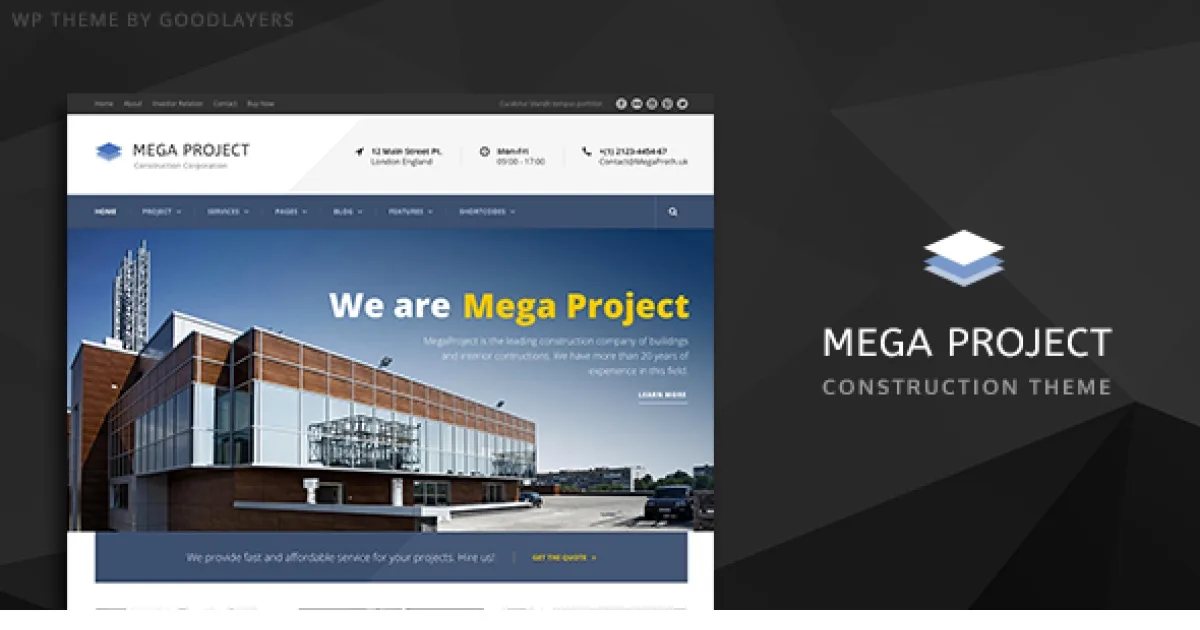
Mega Project Construction WordPress Theme is a GoodLayers-built template for contractor and engineering firms deploying project-focused corporate sites.
- Daily automated updates
- VirusTotal 0/70 clean
- Licensed under GPL
- Secure 256-bit checkout
- Instant direct cloud link
What Is Mega Project Construction WordPress Theme?
Mega Project Construction WordPress Theme is a PHP/WordPress template from GoodLayers, engineered for developers and agencies building corporate websites for contractors, construction firms, and industrial service providers. It resolves the recurring bottleneck of forcing generic multipurpose shells into industry-specific layouts by shipping dedicated construction-oriented page structures out of the box. In production, it serves as a self-hosted presentation layer that a development team installs, configures through the GoodLayers options framework, and hands off to content editors for ongoing management.
Key Features of the Theme
The engine operates through the WordPress template hierarchy: incoming requests map to theme template files, which render content through GoodLayers’ page-builder-compatible sections and pull options from the theme customizer stack. Assets are enqueued per-page, and layout sections assemble content blocks that can be reordered without touching template PHP.
Architectural Highlights
- Industry-Tuned Demo Layouts: The package ships prebuilt construction-sector page structures covering services, project showcases, and corporate identity pages, so teams scaffold client sites from a working baseline instead of a blank canvas.
- GoodLayers Page Builder Integration: Layout composition runs through the author’s block-based builder, where page sections are inserted, duplicated, and reordered as discrete containers, keeping structural changes outside raw template code.
- Project Portfolio Presentation: Dedicated portfolio/project listing templates render construction work items with category filtering and detail-page structures suited to completed-build case studies.
- Customizer-Level Configuration: Typography, color palettes, header and footer structures, and layout spacing are managed through the theme options panel, allowing site-wide state changes to propagate without editing CSS source files.
- WooCommerce and Multilingual Readiness: The codebase supports WooCommerce for selling services or materials and works with multilingual plugins so contractors operating across regions can serve localized page trees.
For agencies that need a wider demo pool or a different builder stack on the same vertical, comparing this package against Brickz Construction WordPress Theme clarifies trade-offs between GoodLayers’ block system and an Elementor-driven workflow.
Who Should Use This Theme?
The codebase targets WordPress developers and small agency teams delivering branded sites for general contractors, civil engineering consultancies, suppliers of construction equipment, and industrial maintenance firms. It fits well in project-based workflows where a demo layout is customized once, populated with client content, and maintained through the admin panel. Teams comfortable with child-theme overrides, WordPress template hierarchy debugging, and standard plugin compatibility testing will get the most from it. It is not built for non-technical site owners who expect zero configuration, nor for developers seeking a headless CMS decoupled front end — the theme assumes a conventional server-rendered WordPress stack.
Compatibility & Runtime Requirements
Deployment assumes a standard LAMP or equivalent hosting environment capable of running current WordPress releases with sufficient PHP resources for theme plus plugin operation.
| Engineering Metric | Deployment Specification |
|---|---|
| Base Technology / Framework | WordPress theme architecture with GoodLayers page-builder sections |
| Runtime / Language Requirements | PHP execution environment per current WordPress core requirements |
| Data Exchange / Communication Protocols | HTTP/HTTPS request-response rendering; standard WordPress database persistence via MySQL |
| Core Dependencies / Engine Compatibility | WordPress core; WooCommerce for commerce routes; WPML-compatible for multilingual page trees |
| Database / Storage Footprint | Standard WordPress table writes via options and post meta; no custom schema |
How to Install & Deploy the Theme
Deployment follows the conventional WordPress theme lifecycle. No external verification steps are involved; activation immediately enables all theme modules and administrative menus.
- Verify the server environment first: confirm the host runs a WordPress-supported PHP version with adequate memory allocation, a current WordPress core install, and a reachable MySQL database before uploading anything.
- Upload the theme archive through the administration interface under Appearance, or transfer the extracted theme directory into wp-content/themes over SFTP if you prefer direct filesystem deployment.
- Activate the theme from the Appearance screen. On activation, the GoodLayers options panel, builder sections, and required bundled plugins register themselves and become fully operational.
- Run the demo import to scaffold baseline pages, then configure typography, color tokens, header and footer layouts in the theme options panel, and validate rendered output across the portfolio, service, and contact templates before releasing to the client staging domain.
If the client also needs property or development showcases alongside construction works, pairing this theme’s portfolio layer with Doma Real Estate Development WordPress Theme on a separate property-focused install keeps each site’s content model clean rather than overloading one post type with two domains.
Frequently Asked Questions
Does the theme include a one-click demo import system?
Yes, the package bundles demo content import so teams can scaffold the prebuilt construction layouts, pages, and section structures into a fresh WordPress install and then replace placeholder data with client content.
Can the theme handle e-commerce functionality for selling construction services or materials?
Yes, WooCommerce compatibility is part of the codebase, so once the WooCommerce plugin is active, product and checkout templates inherit the theme’s styling and can be placed within the site’s navigation structure.
Is multilingual content supported for contractors working across regions?
Yes, the theme works with multilingual plugins in the WPML ecosystem, letting administrators maintain parallel translated page trees while the theme renders locale-appropriate menus, headers, and footer structures.
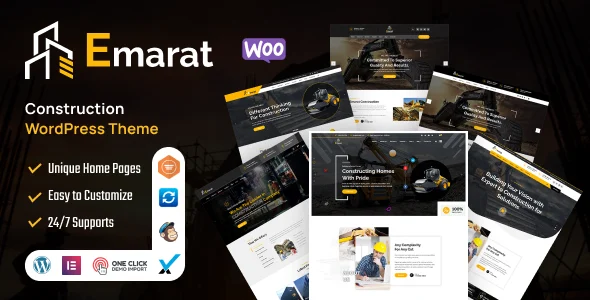
Teams evaluating multiple construction verticals will also find that Emarat Construction WordPress Theme uses a Redux-based options backend, which is a useful architectural contrast when standardizing agency toolkits on a single options framework.