OLX WooCommerce Plugin
OLX listings from WooCommerce is a WordPress plugin that publishes WooCommerce products to OLX marketplaces across six countries via the OLX API. For developers and agencies.
- Daily automated updates
- VirusTotal 0/70 clean
- Licensed under GPL
- Secure 256-bit checkout
- Instant direct cloud link
What Is OLX listings from WooCommerce?
OLX listings from WooCommerce is a WordPress plugin, engineered for developers and agencies to publish WooCommerce product catalogs as classified listings on the OLX API. It resolves the operational bottleneck of manually re-entering product data into OLX marketplaces by automating the data transfer between the store catalog and the OLX platform. Within production workflows, it functions as a syndication bridge, keeping marketplace inventory aligned with the WooCommerce product database across six supported countries.
Key Features of the Plugin
The plugin executes by reading WooCommerce product objects, mapping catalog fields into OLX API payloads, and dispatching those payloads to the OLX endpoints for the configured marketplace region. Listing creation therefore originates from existing store data rather than duplicate manual input.
Architectural Highlights
- OLX API Integration: The module communicates with the OLX API to submit listing data, removing the need for developers to implement raw HTTP clients or authentication flows against the OLX platform themselves.
- Multi-Country Marketplace Coverage: The engine supports OLX operations in Ukraine, Bulgaria, Portugal, Romania, Kazakhstan, and Poland, so a single WooCommerce install can target the regional OLX portal relevant to each client deployment.
- WooCommerce Catalog as Source of Truth: Product titles, descriptions, pricing, and catalog attributes held in WooCommerce drive the listing content, ensuring the store remains the authoritative dataset and the marketplace reflects its state.
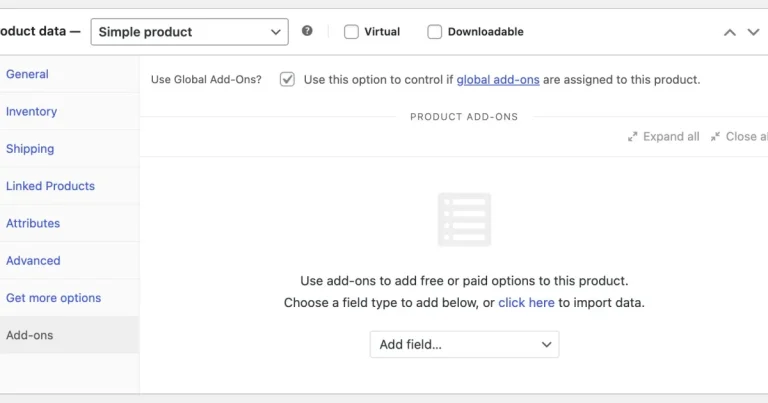
- Listing Construction Workflow: The plugin builds listings for OLX from product records, which pairs well with catalog enrichment tools; deploying WooCommerce Product Addons lets developers attach configurable option fields to products before those attributes flow into the listing payload.
- Bundle-Aware Catalog Structures: For stores selling grouped SKUs, Product Bundles for WooCommerce can organize products into configurable bundle packages with per-item quantity rules, giving the syndication layer structured catalog data to publish.
Who Should Use This Plugin?
The codebase targets WooCommerce developers, e-commerce agencies, and store operators running client catalogs who need classified-ad distribution without maintaining a separate listing workflow. It fits agencies managing multi-region storefronts where each storefront maps to a different OLX country portal, and freelance developers delivering WooCommerce builds for clients selling through OLX channels. It is not intended for merchants who have never configured WooCommerce, since a functioning product catalog is a prerequisite for any listing to exist. Teams expecting a general-purpose marketplace connector for platforms other than OLX should evaluate other tooling, as the integration scope is specifically OLX API syndication for the six supported markets.
Compatibility & Runtime Requirements
The baseline runtime constraint is a standard WordPress installation with WooCommerce active, since the plugin reads WooCommerce product data as its input source.
| Engineering Metric | Deployment Specification |
|---|---|
| Base Technology / Framework | WordPress plugin architecture on the PHP/WordPress stack |
| Runtime / Language Requirements | PHP-based WordPress hosting environment per standard WooCommerce server requirements |
| Data Exchange / Communication Protocols | OLX API (HTTP-based API communication to OLX marketplace endpoints) |
| Core Dependencies / Engine Compatibility | WooCommerce (product catalog and product object model); OLX marketplaces in Ukraine, Bulgaria, Portugal, Romania, Kazakhstan, and Poland |
| Database / Storage Footprint | Uses the existing WordPress/WooCommerce database; no separate standalone database engine required |
How to Install & Deploy the Plugin
Deployment follows the standard WordPress administrative installation path, after which the plugin becomes available for configuration against the OLX API.
- Environment Pre-check: Verify the server runs a current PHP version, WordPress is up to date, and WooCommerce is installed and active with products present in the catalog, since the plugin requires WooCommerce product data as its input.
- Package Upload: Upload the plugin archive through the WordPress administration interface under the Plugins screen, or transfer the extracted folder to the wp-content/plugins directory via SFTP.
- Direct Activation: Click Activate in the plugins list. All listing modules and administrative controls become fully operational immediately, with no additional unlock steps.
- Configuration & Testing: Open the plugin settings panel, connect the OLX API credentials for the target country marketplace, map WooCommerce product fields to listing attributes, and submit a test product to validate that the listing renders correctly on the OLX portal.
Frequently Asked Questions
Does the plugin support OLX marketplaces outside the six documented countries?
No, the documented scope covers OLX operations in Ukraine, Bulgaria, Portugal, Romania, Kazakhstan, and Poland. Other regional OLX portals are outside the stated integration surface of the plugin.
Can one WooCommerce installation target OLX in multiple countries?
Yes, the plugin covers all six supported OLX countries, so a single WordPress environment can be configured to publish listings to the regional OLX portal matching each deployment requirement.
Do listings require manual data entry after WooCommerce products exist?
No, listings are built from existing WooCommerce product records through the OLX API. The store catalog acts as the source dataset, eliminating duplicate manual entry into the OLX platform.
Is WooCommerce mandatory for this plugin to function?
Yes, the plugin is a WooCommerce extension that reads product data from the WooCommerce catalog. Without WooCommerce installed and populated, the listing construction layer has no source data to publish.