Recap – Modern Thematic Blog WordPress Theme
Recap Modern Thematic Blog WordPress Theme is a Gutenberg-optimized publishing package for developers building responsive blog, magazine, and news sites on WordPress 6.x–7.x.
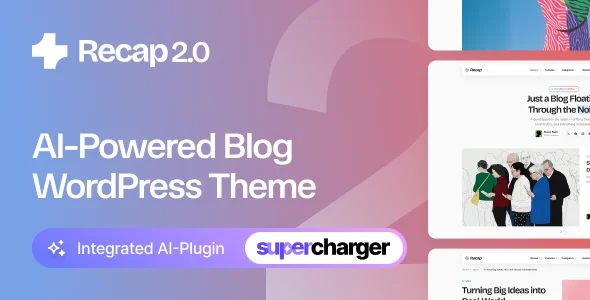
- Daily automated updates
- VirusTotal 0/70 clean
- Licensed under GPL
- Secure 256-bit checkout
- Instant direct cloud link
What Is Recap Modern Thematic Blog WordPress Theme?
Recap Modern Thematic Blog WordPress Theme is a PHP/CSS/JS WordPress theme, engineered for developers and editorial teams to deploy blog, magazine, news, and portfolio properties on the native block editor. It resolves the recurring bottleneck of page-builder dependency by shipping a Gutenberg-optimized template layer that renders layouts directly through the WordPress block parsing pipeline. In production, it functions as the presentation layer of a self-hosted WordPress install, handling template hierarchy resolution, widget zone output, and responsive DOM construction for WordPress 6.6.x through 7.0.x.
Key Features of the Theme
At runtime, WordPress resolves incoming requests against the theme’s template hierarchy, PHP files generate the DOM tree, and enqueued CSS and JS assets control layout state, viewport adaptation, and widget rendering. Because the codebase targets the block editor natively, content composition happens through Gutenberg blocks rather than a proprietary builder runtime, which reduces DOM nesting depth and limits layout-shift risk on initial paint.
Architectural Highlights
- Native Block Editor Integration: The theme declares Gutenberg optimization as a first-class attribute, so block markup is parsed and rendered through core WordPress block controllers. Teams editing content avoid shortcode reconciliation and maintain structured, schema-parseable output in the database.
- Responsive, High-Resolution Layout Grid: The layout is built as a responsive system with 4+ column support and high-resolution asset handling, letting editors compose multi-column magazine fronts, editorial grids, and portfolio galleries that reflow across Firefox, Safari, and Chrome viewport widths.
- Widget-Ready Zone Architecture: Registered widget areas allow sidebar and footer regions to be assembled from the administration interface without touching PHP templates, keeping layout changes inside the CMS configuration surface.
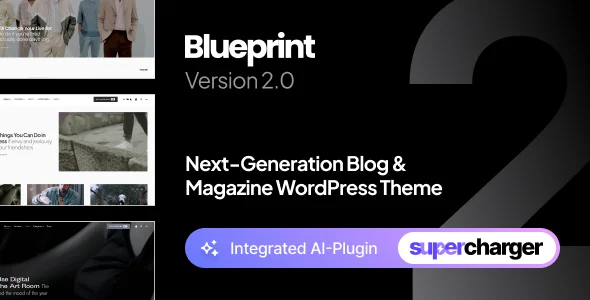
- Editorial Category Coverage: Demo structures target ai, food, travel, video, viral news, personal blog, and creative portfolio verticals, giving agencies a reusable base across multiple client niches without forking the codebase per project. For teams needing a deeper demo matrix with dark mode and REST API pagination, pairing this package with Blueprint – Next-Generation Blog Magazine Theme in a staging comparison is a common evaluation path.
- WPML Localization Path: Compatibility with WPML means multilingual content trees are routed through the theme’s templates without custom translation wrappers, and Contact Form 7 support keeps form endpoints on a standard, documented plugin contract rather than an opaque custom form engine.
Who Should Use This Theme?
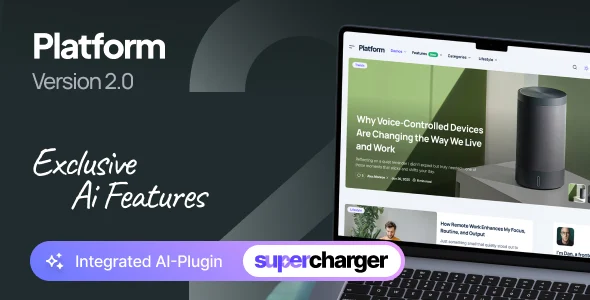
This package fits freelance developers, small agencies, and publisher teams who build editorial sites on vanilla WordPress and want the block editor as the primary composition surface. It suits personal blog deployments, magazine and newspaper properties, video-heavy content sites, and portfolio deliverables where responsive, high-resolution presentation is a requirement. Teams running multilingual publications benefit from the WPML contract, and developers who standardize on Contact Form 7 can wire forms without custom endpoint code. It is not intended for operators who require a drag-and-drop builder runtime like Elementor as the composition engine, nor for headless decoupled frontends, since the value here is server-rendered PHP template output rather than an API-only scaffold. Developers prioritizing a performance-focused Gutenberg stack may also benchmark Platform – Modern High-Performance Blog WordPress Theme as an alternative baseline on WordPress 6.8+.
Compatibility & Runtime Requirements
The theme carries a defined runtime envelope that staging environments should verify before deployment.
| Engineering Metric | Deployment Specification |
|---|---|
| Base Technology | WordPress theme (PHP, CSS, JS files included) |
| Core Version Support | WordPress 6.6.x, 6.7.x, 6.8.x, 6.9.x, 7.0.x |
| Editor Runtime | Block Editor (Gutenberg optimized) |
| Plugin Dependencies | Contact Form 7, WPML (compatible) |
| Browser Targets | Firefox, Safari, Chrome |
| Layout Model | Responsive, widget-ready, 4+ column grids, high-resolution assets |
How to Install & Deploy the Theme
Deployment follows the standard WordPress theme lifecycle; once activated, all template files, block styles, and administrative options become operational.
- Environment Pre-check: Confirm the target server runs a supported WordPress core version (6.6.x–7.0.x) and that PHP, database, and permalink configurations match your hosting baseline before file transfer.
- Package Upload: Upload the theme archive through the Appearance administration screen, or transfer the extracted PHP, CSS, and JS files directly into the wp-content/themes directory over SFTP.
- Direct Activation: Activate the theme from the administration interface. Template hierarchy overrides, widget areas, and block editor styles initialize immediately with no additional registration steps.
- Configuration & Testing: Import or recreate demo structures, then complete the site-specific settings the vendor flags as manual tasks — social account links, widget assignments, and similar per-site values. Note that demo imagery is not included in the package and must be sourced separately. Validate rendered output across the three target browsers and measure Core Web Vitals on your actual server, since the vendor states page speed results depend on the selected demo, server configuration, and content, and certain features can degrade scores.
Frequently Asked Questions
Are demo images included with the theme package?
No. Preview images shown in the live demo are excluded from the download; they were acquired through stock and Creative Commons channels for demonstration only, so production deployments require sourcing replacement media before launch.
Does the package include the promotional landing page shown in the preview?
No. The initial preview is a product showcase landing page used to present demo variants and is not part of the distributed theme files; deployments start from the demo layouts themselves.
Do any features depend on external service providers?
Yes. Features such as social follower counts, share counters, and Instagram feed rendering communicate with third-party APIs. Because those providers sit outside the theme’s control, availability and rate limits depend on the external services.