VoltEdge – Electrician Electrical Repair WordPress Theme
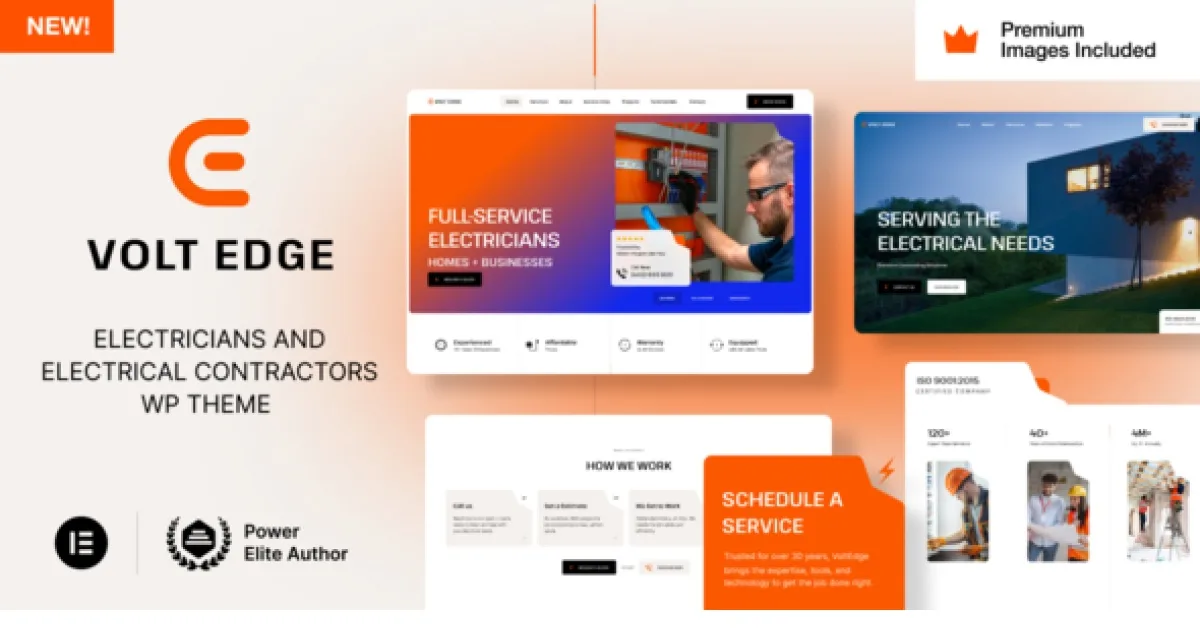
VoltEdge Electrician WordPress Theme: an Elementor-based VamTam codebase for building electrical contractor and repair service websites. 120-145 chars check
- Daily automated updates
- VirusTotal 0/70 clean
- Licensed under GPL
- Secure 256-bit checkout
- Instant direct cloud link
What Is VoltEdge Electrician WordPress Theme?
VoltEdge is a WordPress theme from the VamTam theme collection, engineered for developers and agencies building websites for electricians and electrical contractors. It resolves the bottleneck of assembling trade-specific layouts from generic multipurpose themes by shipping pre-structured service, repair, and contractor-oriented templates. In production workflows, it operates as the presentation layer of a standard WordPress install, sitting on the template hierarchy and rendering through the native block editor and page builder integration.
Key Features of the Theme
The theme parses page requests through the WordPress template hierarchy, injecting its own templates before falling back to core defaults, then renders layout markup that the block editor or builder consumes. Styling is delivered as compiled CSS bundles, and scripts load conditionally so unused modules do not inflate the DOM or delay Largest Contentful Paint.
Architectural Highlights
- Contractor-Focused Layout Set: Demo layouts cover electrical repair, installation, and maintenance service pages, giving developers a complete DOM structure per section that can be edited section by section rather than rebuilt from scratch.
- Template Hierarchy Overrides: The package registers its own archive, single, and page templates, which WordPress resolves before core fallbacks, so customization can target specific view types without touching functions.php.
- Builder Compatibility: Content editing runs through the native WordPress editor and compatible page builders, letting teams modify container nesting, column widths, and typography tokens visually while the theme supplies the underlying CSS layer.
- One-Pass Demo Import: An importer routine writes demo content, widgets, and assigned menus in a single administrative pass, then flags any skipped attachments so staging environments can be verified before go-live.
- Responsive Viewport Handling: Breakpoints are declared in the stylesheet layer and enforced at the container level, keeping layout shifts (CLS) bounded when the viewport moves between mobile and desktop widths.
For agencies running multiple trade-vertical builds in parallel, the same structural approach appears across the VamTam family and in comparable packages such as Karzo, an Elementor-driven automotive theme for garage and repair sites, so teams can standardize on one deployment procedure across client verticals.
Who Should Use This Theme?
This package fits freelance developers and agency teams delivering WordPress sites for electrical contractors, repair businesses, and related trade-service clients who need service pages, contact flows, and local-business presentation out of the box. It suits workflows where the team wants demo content as a starting scaffold and then adjusts layout through the editor rather than writing templates manually. It is not intended for developers building headless WordPress architectures consuming WP REST API data in an external frontend, since the codebase is designed around server-rendered templates. Teams requiring deeply custom post-type schemas will still need to register their own CPTs alongside the theme.
Compatibility & Runtime Requirements
The codebase targets standard self-hosted WordPress installations with no proprietary server extensions required.
| Engineering Metric | Deployment Specification |
|---|---|
| Base Technology | WordPress theme (PHP-based template layer) |
| Runtime Requirements | Standard PHP runtime supported by current WordPress core releases |
| Data Exchange | WordPress admin protocols; standard HTTP request handling for front-end assets |
| Engine Compatibility | WordPress block editor and compatible page builder environments |
| Storage Footprint | Theme archive plus imported demo media; standard MySQL/MariaDB tables via WordPress core |
How to Install & Deploy the Theme
- Environment Pre-check: Confirm the server runs a PHP version accepted by current WordPress core, verify database connectivity, and update WordPress to a recent release before deployment.
- Package Upload: Transfer the theme archive through the administrative appearance uploader, or extract it directly into the wp-content/themes directory via SFTP for larger staging environments.
- Direct Activation: Activate the theme from the appearance screen. Menus, template registrations, and core modules initialize on activation and the site immediately renders with the theme’s default structure.
- Configuration & Testing: Run the demo import routine, then audit imported pages for missing attachments, assign navigation menus, and validate responsive output across viewport widths before pointing production traffic at the build.
Because every trade-vertical package ships its own demo dataset, agencies that also handle organic farm or agribusiness clients can apply the identical activate-import-verify sequence with VerdaAgro, keeping staging procedures uniform across unrelated client sectors.
Frequently Asked Questions
Does VoltEdge include a demo import routine for staging environments?
Yes. The theme ships a demo importer that writes sample content, layout structures, and widget assignments through the WordPress administration interface, so contractors’ sites can be scaffolded quickly and then edited before production launch.
Can the templates be customized without editing PHP files?
Yes. Layout-level customization is performed through the WordPress editor and compatible page builder containers, while template hierarchy overrides allow developers to replace specific view templates when deeper structural changes are required.
Is the theme restricted to electrical contractor websites?
No. The demo content targets electricians and electrical contractors, but the underlying WordPress template layer renders any content type the site registers, and sections can be rewritten for adjacent trade-service niches.