Wanium Theme
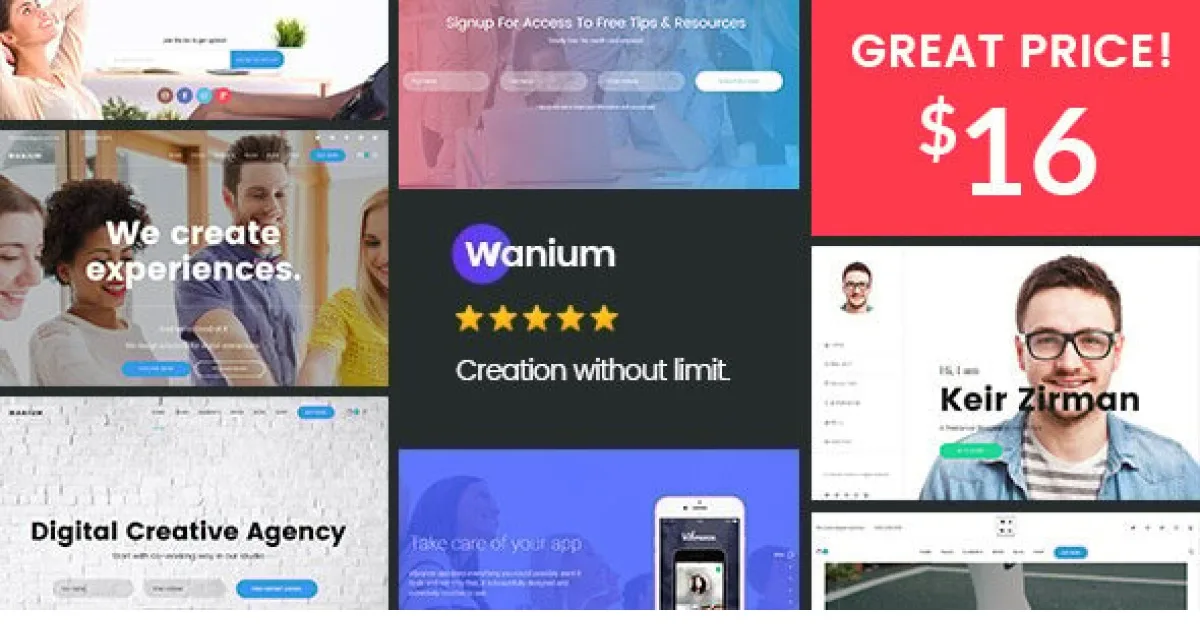
Wanium WordPress Theme is a multi-concept WordPress codebase with 20+ prebuilt demos, Elementor integration, and template hierarchy overrides for agency builds.
- Daily automated updates
- VirusTotal 0/70 clean
- Licensed under GPL
- Secure 256-bit checkout
- Instant direct cloud link
What Is Wanium WordPress Theme?
Wanium WordPress Theme is a multi-concept WordPress theme, engineered for developers and agencies to ship varied client sites from a single codebase. It resolves the recurring bottleneck of rebuilding layout scaffolding for every new project by shipping preconfigured demo architectures that install through an automated importer. In production, it functions as a base template layer that teams restyle and extend per client while keeping one maintained parent codebase.
Key Features of the Theme
The theme executes through standard WordPress template hierarchy: front-end requests resolve to template files, which enqueue modular CSS and JavaScript assets and render content through page-builder widgets and native Customizer options. Demo data — posts, pages, menus, widgets, and media references — is parsed by the import engine and mapped onto the active installation.
Architectural Highlights
- Multiple Prebuilt Demo Concepts: The package ships a set of distinct demo configurations (agency, corporate, portfolio, shop, and blog variants), each installable through a one-click importer that seeds placeholder content, menus, and widget assignments.
- Page Builder Integration: Layouts compose through a drag-and-drop builder layer, letting developers assemble sections without writing template PHP, while remaining overridable at the child-theme level for custom markup.
- WooCommerce Storefront Support: Shop-oriented demos register commerce templates that inherit WooCommerce archive and single-product structures, so product grids, cart flows, and checkout pages render under the theme’s design system.
- Customizer-Driven Options: Typography, color palettes, header and footer compositions, and blog layouts expose through the WordPress Customizer API, generating live-preview style output rather than requiring manual CSS edits.
- Blog and Portfolio Layout Variants: Multiple loop renderings — grid, masonry, and list — ship as swappable index templates, enabling editorial or showcase structures without custom query code.
For teams that need structured custom content fields layered on top of the demo scaffolding, pairing the theme with Advanced Custom Fields Pro lets developers bind typed field groups to imported templates without touching core loop logic.
Who Should Use This Theme?
The codebase targets freelance developers and small agencies running repeated WordPress client builds — landing pages, agency portfolios, small commerce storefronts, and editorial sites — where a preconfigured starting point reduces per-project setup time. It also fits teams maintaining a standardized internal toolkit across multiple staging environments. It is not intended for developers who need headless or API-first decoupled rendering, nor for non-technical site owners expecting zero configuration: demo imports, menu reassignment, and plugin activation still require an operator comfortable with the WordPress admin and basic asset handling.
Compatibility & Runtime Requirements
The theme runs within a standard WordPress server environment, with a few ecosystem dependencies that must be active before demo content imports correctly.
| Engineering Metric | Deployment Specification |
|---|---|
| Base Technology | WordPress theme (PHP templates, Customizer options, page-builder widgets) |
| Runtime Baseline | Standard WordPress Core Environment (PHP/MySQL stack) |
| Builder Dependency | Drag-and-drop page builder plugin bundled as required companion |
| Commerce Dependency | Native WooCommerce plugin for shop demo functionality |
| Data Formats | WordPress XML demo content import, widget and customizer export payloads |
Real-World Use Cases & Implementation
Scenario one: an agency delivering client portfolio sites uses the one-click importer to seed the agency demo, then swaps typography and palette tokens through the Customizer and replaces demo imagery, reaching a reviewable staging build in a fraction of the time a from-scratch template would take.
Scenario two: a small retailer deploys the shop concept, inheriting WooCommerce archive and product templates while extending product detail layouts through builder sections — no theme-file edits required for standard merchandising.
Scenario three: content-first publishers can run the blog-oriented demos for editorial delivery; where a leaner, Core Web Vitals-focused variant is preferable, deploying Fast Blog WordPress Theme instead keeps the asset footprint minimal. Similarly, builder-driven Elementor workflows on sibling projects map cleanly to Corbesier Architecture WordPress Theme, which shares the demo-plus-custom-elements delivery pattern.
Frequently Asked Questions
Can I install multiple Wanium demos on one WordPress site?
Yes, but only one demo set can be active as the primary configuration at a time. Importing a second demo overwrites or supplements existing imported content, so agencies should run separate staging installations per concept to avoid menu and widget conflicts.
Do I need to activate companion plugins before importing demo content?
Yes. The importer relies on required companion plugins — including the page builder and WooCommerce for shop demos — being active. Importing before plugin activation leaves shortcode-based sections unrendered and commerce templates without their data source.
Can layouts be extended with custom code?
Yes. Template files follow the standard WordPress hierarchy, so child themes can override any template, and custom styles can be appended via the Customizer’s additional CSS or a child stylesheet without modifying parent files.