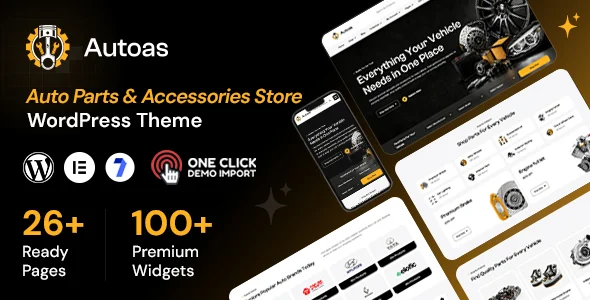
Autoas – Auto Parts and Accessories Store WordPress WooCommerce Theme
Autoas is a responsive WordPress WooCommerce theme for auto parts stores, tire shops, and accessory retailers, built on Elementor with demo import and shop layouts.
- Daily automated updates
- VirusTotal 0/70 clean
- Licensed under GPL
- Secure 256-bit checkout
- Instant direct cloud link
What Is Autoas – Auto Parts and Accessories Store WordPress WooCommerce Theme?
Autoas is a WordPress WooCommerce theme, engineered for developers and agencies building eCommerce storefronts for auto parts retailers, tire shops, and vehicle equipment suppliers. It resolves the recurring bottleneck of hand-assembling commerce templates for automotive catalogs by shipping pre-structured shop, product detail, cart, checkout, wishlist, and account page templates that override the standard template hierarchy. Within agency production workflows, it functions as a deployable starting layer: a one-click demo import seeds the content tree, and Elementor widgets replace manual template edits during client revisions.
Key Features of the Theme
The package renders pages through the WordPress template hierarchy, delegating layout composition to Elementor’s widget DOM, while WooCommerce templates handle product data traversal and cart state.
Architectural Highlights
- Elementor and Elementor Pro integration: Layout construction runs through draggable widget containers rather than hardcoded PHP sections, letting developers restructure home, shop, and category pages without editing source files.
- One-click demo import: An importer routine writes demo posts, pages, media, and widget assignments into the database, collapsing initial provisioning into a single administrative action.
- Global design control panel: Typography and color tokens are centralized, so a single palette change propagates across all Elementor-rendered sections instead of requiring per-widget overrides.
- Customizable header and footer builders: Header and footer regions are replaceable templates, so navigation structures and contact blocks can be swapped per brand without touching the parent DOM tree.
- Responsive rendering across the stack: A fluid layout resolves breakpoints at render time across the documented browser set (Firefox, Safari, Opera, Chrome, Edge), reducing layout-shift risk on product grids.
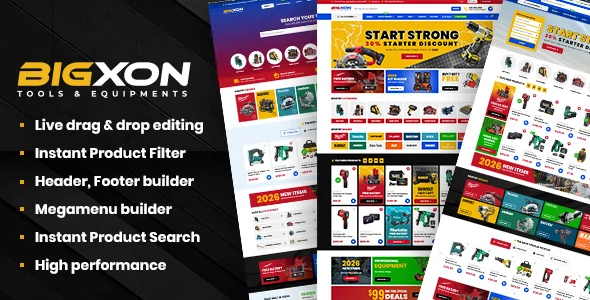
For teams needing a comparable architecture with vehicle-fit product lookup and AJAX filtering, Bigxon – Parts And Tools WordPress WooCommerce Theme sits in the same category and can serve as an alternate baseline for parts catalogs requiring fitment search.
Who Should Use This Theme?
This codebase fits agencies and freelance developers delivering client storefronts for spare parts suppliers, car care brands, motorcycle parts dealers, and modification shops. It suits WordPress engineers comfortable with Elementor’s widget model and WooCommerce’s account, order, and download endpoint flows, since the 22 included page templates assume those subsystems. Teams running multilingual builds benefit from the declared WPML compatibility. It is not intended for developers who want a raw, hook-driven starter theme with no page-builder dependency, or for operators expecting the package to supply inventory management, fitment databases, or supplier feeds on its own; those capabilities must come from plugins. For affiliate-driven parts stores, a feed pipeline such as the Amazon Affiliates WooCommerce plugin can populate product data while this theme handles presentation.
Compatibility & Runtime Requirements
Runtime constraints center on the WordPress core version line and the co-installed page builder plus WooCommerce plugin stack.
| Engineering Metric | Deployment Specification |
|---|---|
| Base Technology / Framework | WordPress theme; PHP, CSS, and JS files; Elementor builder |
| Runtime / Language Requirements | WordPress 6.6.x through 7.1.x |
| Data Exchange / Communication Protocols | Standard WooCommerce cart, checkout, order, and account HTTP flows |
| Core Dependencies / Engine Compatibility | Elementor, Elementor Pro, Contact Form 7, WPML, WooCommerce |
| Database / Storage Footprint | Standard WordPress and WooCommerce table schema; demo import writes posts, pages, and media records |
How to Install & Deploy the Theme
Deployment follows the standard WordPress administrative upload path, with the demo importer handling initial content seeding.
- Environment Pre-check: Confirm the server runs a supported WordPress version (6.6.x to 7.1.x) and install the Elementor and WooCommerce plugins, since the shop templates and widgets depend on both.
- Package Upload: Upload the theme archive through the administration appearance uploader, or extract the PHP, CSS, and JS files into the themes directory on the server.
- Direct Activation: Activate the theme from the appearance screen; navigation menus, widget areas, and template overrides become operational immediately.
- Configuration & Testing: Run the one-click demo import, then adjust global fonts and colors from the centralized panel, bind Contact Form 7 shortcodes to the contact template, and verify shop, cart, and checkout rendering against the live demo structure.
Frequently Asked Questions
Does the package require Elementor Pro to function?
No, the theme declares compatibility with both free Elementor and Elementor Pro. Core layouts render with the free builder, while Pro unlocks advanced widgets; either configuration supports the shipped templates without code modification.
Which files are included in the deliverable archive?
Yes, the package ships PHP files, CSS files, and JS files as the documented ThemeForest file set, plus documentation covering setup. All rendering, styling, and client-side behavior is contained within these asset groups.
Can the shop templates be overridden for custom logic?
Yes, WooCommerce template overrides follow the standard child-theme copy mechanism, so developers can replace product detail, cart, or checkout templates with custom versions while inheriting the responsive grid and global design tokens.