Electro Electronics Store WooCommerce Theme
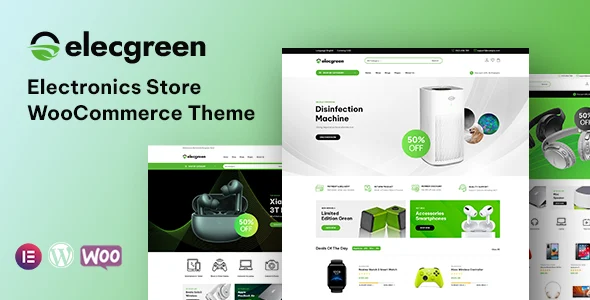
Electro Electronics Store WooCommerce Theme is a WordPress theme for developers building electronics storefronts with marketplace, mega menu, and WPML support.
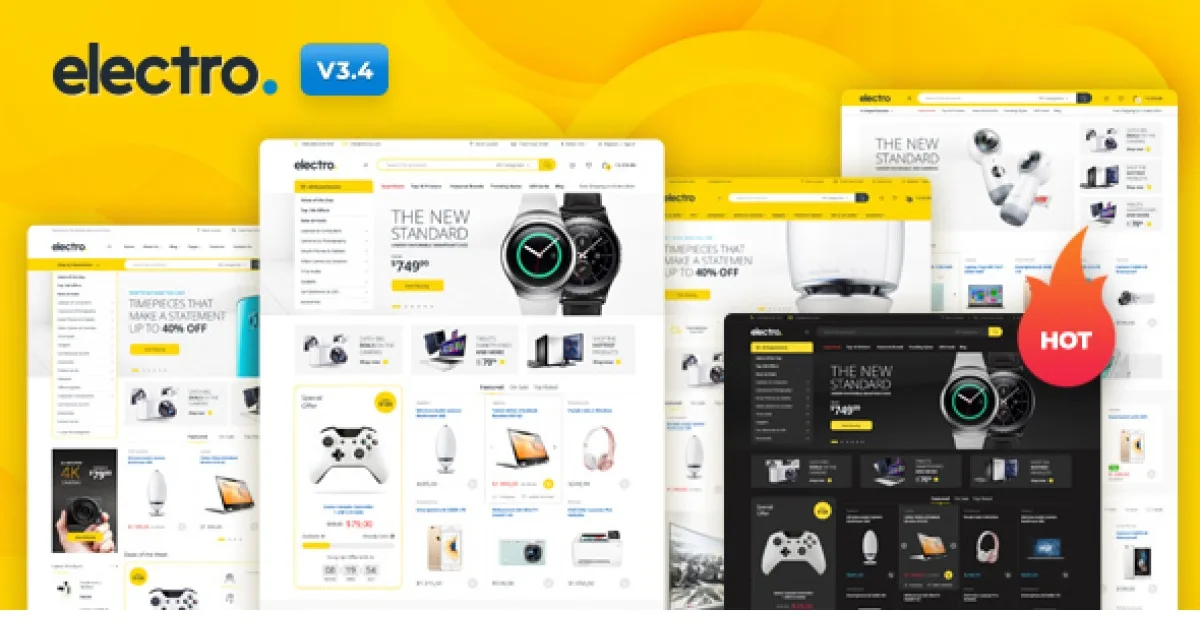
- Daily automated updates
- VirusTotal 0/70 clean
- Licensed under GPL
- Secure 256-bit checkout
- Instant direct cloud link
What Is Electro Electronics Store WooCommerce Theme?
Electro Electronics Store WooCommerce Theme is a WordPress theme, engineered for developers and agencies to deploy electronics-focused WooCommerce storefronts on self-hosted WordPress stacks. It resolves the common bottleneck of generic retail templates that lack category-depth navigation, vendor management, and product discovery patterns required by high-SKU electronics catalogs. Within production workflows, it serves as the presentation and commerce layer for a full e-commerce build, shipping nine prebuilt home layouts that shorten time-to-launch on agency staging environments.
Key Features of the Theme
The package operates by overriding the WooCommerce template hierarchy with electronics-specific storefront layouts, while theme-level modules hook into catalog queries to render navigation, search, and vendor surfaces. Because it ships nine distinct home variations, the selection made at install time determines the DOM structure and widget placement of the front page, letting teams match a layout to catalog breadth instead of rebuilding sections manually. All bundled plugins ship inside the package, so dependent modules load from the codebase rather than requiring separate installation passes.
Architectural Highlights
- Nine Home Page Variants: Home v1 through Home v9 provide alternate front-page compositions, each with distinct widget regions and product row configurations, reducing template rework during client iteration cycles.
- Integrated Mega Menu System: Horizontal and vertical menu structures render category trees with deep sub-navigation, which matters for electronics taxonomies where dozens of subcategories must stay reachable without page hops.
- Autocomplete Product Search: Search inputs dispatch queries as the user types and return product suggestions inline, cutting query latency between keystroke and result on large catalogs.
- Multi Vendor Marketplace Module: Vendor onboarding and storefront management run inside the theme stack, enabling marketplace operation without assembling a separate vendor plugin layer.
- One-Click Demo Install: A single administrative action imports demo content, widget assignments, and menu mappings, staging a reference build that developers then strip back or populate.
For teams that need to extend catalog query behavior beyond what the theme’s native search exposes — for example, parsing natural-language queries into price, attribute, and stock filters with typo tolerance — deploying the Product Search WooCommerce Extension alongside this codebase pushes filtering logic to the server layer while the theme continues rendering suggestion surfaces. When a client portfolio demands a multipurpose baseline for non-electronics verticals, agencies frequently standardize on XStore, which approaches the same WooCommerce core with 150+ demo layouts and Elementor-driven builds.
Who Should Use This Theme?
This architecture fits WordPress developers and small agencies building client storefronts in the consumer electronics, appliances, and digital-accessories verticals, where catalog depth demands mega menu navigation and vendor modules. Teams running multilingual rollouts benefit directly from the documented WPML support, making the package suitable for regional electronics retailers serving multiple locales from one installation. It is not intended for operators who want a drag-and-drop page-builder-only workflow with zero template awareness: front-page composition, widget placement, and menu structures still require an administrator comfortable with the WordPress customizer and menu system. Developers expecting headless or decoupled deployments should also evaluate fit, since this is a conventional server-rendered WordPress theme, not an API-first storefront engine.
Compatibility & Runtime Requirements
Deployment assumes a standard self-hosted WordPress environment with WooCommerce active, since the theme’s templates and marketplace modules extend WooCommerce’s catalog, cart, and checkout layers rather than replacing them.
| Engineering Metric | Deployment Specification |
|---|---|
| Base Technology | WordPress theme built for WooCommerce electronics stores |
| Runtime / Language Requirements | PHP-executing WordPress runtime; standard hosting stack with MySQL persistence |
| Data Exchange / Protocols | Typing-triggered search requests for autocomplete suggestions; WooCommerce catalog queries |
| Core Dependencies | WooCommerce; bundled plugins included with the package; WPML for multilingual operation |
| Marketplace Capability | Built-in multi vendor marketplace module for vendor-driven catalogs |
How to Install & Deploy the Theme
The following workflow reflects a standard administrative deployment on a prepared WordPress host.
- Environment Pre-check: Verify the host runs a current PHP version and an up-to-date WordPress core, then install and activate WooCommerce, since every storefront template in this package depends on WooCommerce being operational.
- Package Upload: Upload the theme archive through the WordPress appearance interface, or transfer the extracted directory to wp-content/themes over SFTP for server-level control.
- Direct Activation: Activate the theme from the administration panel. On activation, the bundled plugins become available and all storefront modules — mega menus, autocomplete search, and the vendor marketplace — load with the theme stack.
- Configuration & Testing: Run the one-click demo import to stage a reference layout from Home v1 through Home v9, assign your category tree to the horizontal or vertical mega menu, enable WPML strings for multilingual locales, and exercise the autocomplete search against a populated catalog before go-live.
Frequently Asked Questions
Does the demo import replace existing site content?
No. The one-click demo install imports demo pages, widgets, and menu mappings as new data staged against your installation. Developers should snapshot the database beforehand on live sites, then strip or repopulate the imported reference content as needed.
Can the nine home layouts be mixed or swapped after launch?
Yes. Each home variant is a selectable front-page composition, so a team can stage a catalog under Home v2, audit its widget regions and product rows, and switch assignments without rebuilding templates from scratch.
Is multilingual operation handled without external translation tooling?
No. The theme declares WPML support but delegates string and content translation to the WPML plugin itself. Teams operating regional electronics stores install and configure WPML alongside the theme to synchronize product, category, and menu translations.
Does the vendor marketplace require a separate plugin purchase?
No. Multi vendor marketplace capability ships as an included module in the theme stack, so vendor onboarding and storefront management activate with the package on a standard WooCommerce installation.
As a final scoping note: this codebase targets electronics retail specifically, and teams serving adjacent verticals should compare archetype fit before committing — a grocery operation with Ajax shop filters and Bootstrap 5 markup, for instance, maps more naturally onto the Zilly Theme codebase than onto an electronics-oriented layout set.