Flux – AI-Powered Blog Magazine WordPress Theme
Flux is a Gutenberg-optimized WordPress theme for blogs, magazines, and news sites, built for developers who need responsive, high-resolution publishing layouts.
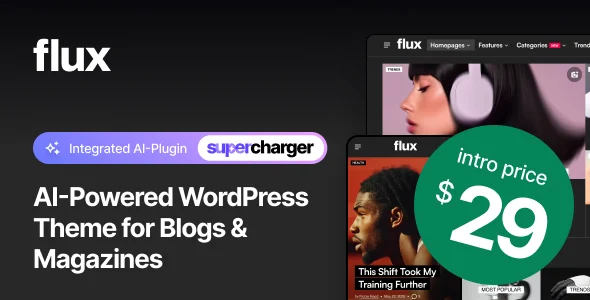
- Daily automated updates
- VirusTotal 0/70 clean
- Licensed under GPL
- Secure 256-bit checkout
- Instant direct cloud link
What Is Flux?
Flux is a WordPress theme engineered for developers and agencies building AI-positioned blogs, magazines, news portals, and video-forward editorial sites. It resolves the recurring bottleneck of pairing a Gutenberg-native block workflow with responsive magazine layouts that do not degrade Core Web Vitals on content-heavy homepages. Within a production workflow, it functions as the presentation layer for WordPress 6.6 through 7.0.x installations, shipping as PHP, CSS, and JS source files ready for direct deployment or child-theme extension.
Key Features of the Theme
The theme executes through the native WordPress template hierarchy: incoming requests resolve against PHP template files, the block editor renders post content directly into those templates, and registered widget areas plus CSS/JS assets are enqueued only where the active layout requires them. This keeps DOM tree depth controlled on multi-column magazine front pages, which directly benefits LCP measurement.
Architectural Highlights
- Gutenberg block editor optimization: Content is authored and rendered through native blocks rather than a shortcode layer, so editor markup and front-end output remain synchronized and template overrides follow standard hierarchy rules.
- Responsive, high-resolution layout system: Grid structures support 4+ column configurations that adapt across viewports, with high-resolution image handling to preserve editorial asset sharpness on retina displays.
- Widget area architecture: Registered, widget-ready zones allow sidebar and footer composition without modifying PHP files, keeping layout changes inside the administration layer.
- Contact Form 7 and WPML compatibility: The theme declares interoperability with Contact Form 7 for form handling and WPML for multilingual content routing, avoiding template conflicts on translated archives.
- Demo-driven editorial configurations: Magazine, news, video, travel, and portfolio demo variants establish baseline layouts; site-specific values such as social account links and widget assignments are intentionally left to manual configuration per deployment.
For teams comparing this package against other editorial codebases, the same template-hierarchy approach drives Fonix, a demo-focused option for high-traffic news and fashion publications.
Who Should Use This Theme?
This package suits WordPress developers, small agency teams, and technical publishers who author in the block editor and need a lightweight magazine or personal blog presentation layer they can extend through PHP and CSS files. It fits editorial builds where performance is measured against real content rather than a staging sample, and where multilingual routing via WPML is a deployment requirement. It is not intended for operators who require a bundled drag-and-drop page builder beyond Gutenberg, nor for teams needing out-of-the-box WooCommerce storefronts or review modules — codebases such as Zeen cover those commerce-adjacent editorial scenarios instead.
Compatibility & Runtime Requirements
Baseline runtime constraints center on a WordPress core installation between version 6.6.x and 7.0.x served to Chrome, Firefox, and Safari clients.
| Engineering Metric | Deployment Specification |
|---|---|
| Base Technology / Framework | WordPress theme, Gutenberg-optimized, Block Editor compatible |
| Runtime / Language Requirements | PHP template execution, CSS, and JavaScript assets shipped in the package |
| WordPress Core Compatibility | WordPress 6.6.x, 6.7.x, 6.8.x, 6.9.x, and 7.0.x |
| Third-Party Integrations | Contact Form 7, WPML |
| Client Browser Support | Chrome, Firefox, Safari |
| Layout & Asset Profile | Responsive layout, 4+ column grids, high-resolution assets, widget-ready zones |
How to Install & Deploy the Theme
Deployment follows the standard WordPress theme lifecycle; activation immediately registers all templates, widget areas, and administrative menus for production use.
- Environment pre-check: Verify the target server runs a supported WordPress core version (6.6.x through 7.0.x) and that the block editor is active, since layouts depend on native block rendering.
- Package upload: Transfer the theme archive through the WordPress administration interface under Appearance, or place the extracted PHP, CSS, and JS file structure directly into the server themes directory.
- Direct activation: Activate the theme from the administration panel; template hierarchy resolution, widget zones, and demo layout configurations become operational at once.
- Configuration & testing: Complete site-specific settings manually — social account links, widget assignments, and per-demo options — then validate rendered output against your production content to confirm layout and asset behavior.
Note that demo images are for preview purposes only and are not part of the package, so asset sourcing is a pre-deployment task. External service-dependent features, such as social follower counts or Instagram feed rendering, rely on third-party API availability and should be load-tested in your environment rather than assumed from preview states.
Frequently Asked Questions
Are demo images included in the theme package?
No. Preview images used in the live demo are excluded from the distribution; developers must supply their own licensed editorial assets before the production launch.
Does the theme require a page builder plugin?
No. It is Gutenberg-optimized and renders through the native block editor, so no additional visual builder dependency is needed for standard magazine and blog layouts.
Can the landing page shown in the preview be deployed?
No. The starting preview is a promotional landing page that showcases available demos; it is not shipped as part of the installable theme files.
Teams evaluating alternatives within the same editorial niche can also review Urban Mag, a GoodLayers-built news and magazine theme for high-volume publishing portals.