Ignavo – Auto Parts WooCommerce Theme
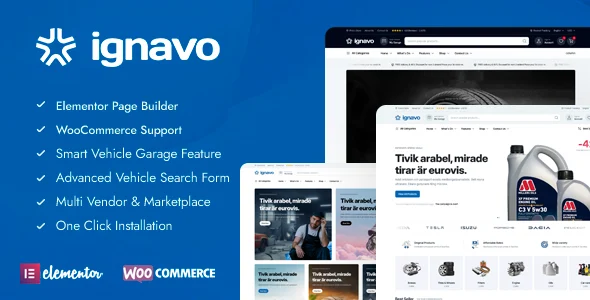
Ignavo - Auto Parts WooCommerce Theme is an Elementor-ready WordPress theme with vehicle garage filtering, Dokan multi-vendor support, and AJAX shop architecture.
- Daily automated updates
- VirusTotal 0/70 clean
- Licensed under GPL
- Secure 256-bit checkout
- Instant direct cloud link
What Is Ignavo – Auto Parts WooCommerce Theme?
Ignavo – Auto Parts WooCommerce Theme is a WordPress theme built on Bootstrap 5, jQuery, and Elementor, engineered for developers and agencies launching auto parts, tire, tools, and electronics storefronts. It resolves the core fitting problem of parts retail: customers cannot identify compatible components without a structured vehicle-to-product matching layer. In production, it operates as the presentation and commerce layer over WooCommerce 8.x–10.x, with logic offloaded to a bundled Ignavo Core plugin.
Key Features of the Theme
The theme intercepts shop queries through AJAX handlers rather than full page reloads: filter, search, cart, and pagination events dispatch asynchronous requests and re-render only the affected DOM regions, keeping the template hierarchy intact for WooCommerce overrides. Page composition runs through Elementor and Elementor Pro, so layout mutations stay in the builder layer instead of hard-coded PHP templates.
Architectural Highlights
- Smart Vehicle Garage: Customers persist vehicle profiles in a personal garage; the advanced vehicle search form then constrains catalog queries to parts matching the stored vehicle attributes, reducing fitment-related returns at the query layer.
- AJAX Commerce Pipeline: Add-to-cart for variable and grouped products, cart removal, side cart, quick view, and load-more or infinite-scroll pagination all execute over asynchronous endpoints, avoiding full-request overhead on shop archives.
- Fitment-Grade Media: Product pages support YouTube/Vimeo embeds, 360-degree view rotation, and image zoom, with sticky add-to-cart, stock progress bars, and countdown timers rendered on the single-product template.
- Multi-Vendor Ready: Dokan integration enables vendor onboarding on marketplace builds; social login via Google and Facebook shortens registration flows through OAuth handoff.
- AI Content Hooks: KLB AI buttons on the WooCommerce product edit screen generate full and short descriptions via OpenAI, injected directly into product fields during catalog population.
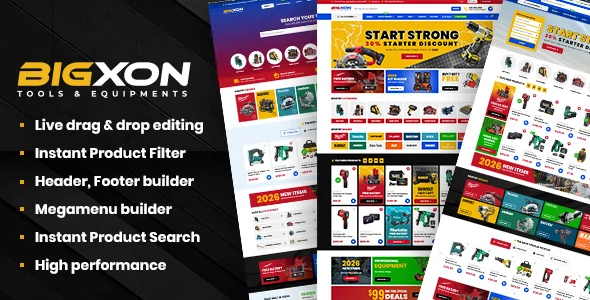
Teams evaluating adjacent stacks for the same vertical can compare implementations — for instance, Bigxon applies Elementor with vehicle-fit lookup in a lighter footprint, while Automize pairs Tailwind CSS with twelve Elementor homepages for parts and repair shops.
Who Should Use This Theme?
This codebase targets WordPress engineers and agencies building conversion-focused parts commerce: single-vendor garages, tire retailers, tool distributors, and Dokan-based multi-vendor marketplaces. It fits teams comfortable managing a companion core plugin, RTL configurations, and translation files (.POT, WPML, Polylang, Loco Translate) during localization passes. It is not intended for site owners who want a block-editor-first workflow — the package is explicitly not Gutenberg optimized — nor for projects avoiding jQuery and Bootstrap as runtime dependencies. Catalog-mode deployments that disable cart flows are supported, making it viable for fitment catalogs without checkout.
Compatibility & Runtime Requirements
Baseline runtime constraints center on the standard WordPress + WooCommerce stack with Elementor as the composition engine.
| Engineering Metric | Deployment Specification |
|---|---|
| Base Framework | Bootstrap 5.x, jQuery, HTML5/CSS3 |
| Parent Ecosystem | WordPress 6.7.x–7.0.x, WooCommerce 8.x–10.x |
| Builder Dependency | Elementor and Elementor Pro |
| Multi-Vendor Layer | Dokan plugin |
| Included Files | PHP, CSS, JS files; child theme; XML demo data; .POT translation file |
| Browser Matrix | Firefox, Safari, Opera, Chrome, Edge |
| Localization | WPML, Polylang, Loco Translate; RTL (Arabic) support |
Performance & Architectural Considerations
Runtime footprint is dominated by asynchronous request volume: AJAX shop filters, product search (including variable-SKU search added in v1.0.6), and pagination generate repeated backend queries on large catalogs, so object caching and CDN offloading materially affect response times on high-SKU stores. Rich single-product media — 360 view, zoom, video embeds — increases LCP exposure on product templates, demanding image compression discipline. The changelog shows WooCommerce outdated-file updates shipped across seven consecutive point releases, meaning template overrides require routine reconciliation after WooCommerce core upgrades; skipping that step risks deprecated-hook warnings on the shop and single-product templates. One-click theme updates and a one-click demo installer with XML seed data shorten staging setup, but demo imports should be pruned before production to avoid orphaned widgets and media payloads inflating page weight.
Frequently Asked Questions
Does the theme support a maintenance or coming-soon state without a separate plugin?
Yes. The package includes built-in maintenance and coming-soon mode, plus GDPR cookie consent and a popup newsletter module, so pre-launch and compliance states are handled natively within theme settings.
Can the storefront run in catalog mode with checkout disabled?
Yes. Catalog mode is a native toggle, and the free-shipping bar, min/max quantity rules, and minimum order amount controls can be configured independently, letting fitment catalogs operate without cart flows.
How are product page extensions like extra tabs handled?
A configurable Extra Tab option was added to the product page in v1.0.7, complementing stock progress bars, countdowns, and order tracking on the single-product template without custom template edits.