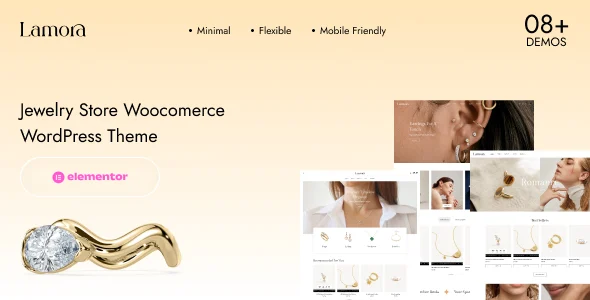
Lamora – Jewelry Store WooCommerce WordPress Theme
Lamora Jewelry Store WooCommerce WordPress Theme delivers an Elementor-based storefront with AI product management, Ajax shop filtering, and multi-vendor support for agencies.
- Daily automated updates
- VirusTotal 0/70 clean
- Licensed under GPL
- Secure 256-bit checkout
- Instant direct cloud link
What Is Lamora Jewelry Store WooCommerce WordPress Theme?
Lamora Jewelry Store WooCommerce WordPress Theme is a Bootstrap 4.x-based WordPress theme, engineered for developers and agencies building jewelry, gemstone, and goldsmith storefronts on WooCommerce. It resolves the bottleneck of assembling category-driven product presentation, vendor marketplace logic, and AI-assisted catalog administration into a single template hierarchy instead of stitching separate plugins and custom templates. In production, it serves as the presentation layer for single-brand boutiques and multi-vendor marketplaces staged on WordPress 4.9.x through 7.1.x.
Key Features of the Theme
Requests route through WordPress template overrides for WooCommerce files, with Elementor rendering page compositions from 24+ bundled shortcodes and Bootstrap handling the responsive grid. Interactive states — add to cart, wishlist, search filtering, and lazy product loading — execute via Ajax endpoints rather than full page reloads, keeping cart and catalog state synchronized client-side. The package ships as PHP, CSS, SCSS, and JS files, so stylesheet modifications occur at the SCSS source layer before compilation.
Architectural Highlights
- Wpbingo AI Commander integration (v1.0.4+): The bundled AI plugin issues natural-language commands to generate or update product titles, descriptions, prices, categories, attributes, and stock status, with provider connections to OpenAI, Claude, Gemini, Groq, and OpenRouter configured through its own settings.
- Multi-vendor compatibility layer: The theme loads without errors alongside MultiVendorX, Wc Vendors, or Dokan, though vendor properties remain managed exclusively in each plugin’s configuration and database tables — the theme does not expose or modify those records.
- Ajax commerce pipeline: Instant product search filtering, add-to-cart, wishlist, block cart, login, and infinity/load-more shop pagination all operate over asynchronous requests, reducing LCP impact on catalog navigation.
- Header/footer and mega menu builders: Four header and three footer variants are assembled through dedicated builders, while the Mega Menu Builder composes navigation structures independent of the default walker.
- Product detail modules: Sticky detail panels, sticky add-to-cart, 360-degree product view, video product, frequently-bought-together grouping, variable swatches (color, size, image), jQuery inner zoom, and pre-order with come-back alerts ship as discrete product page components.
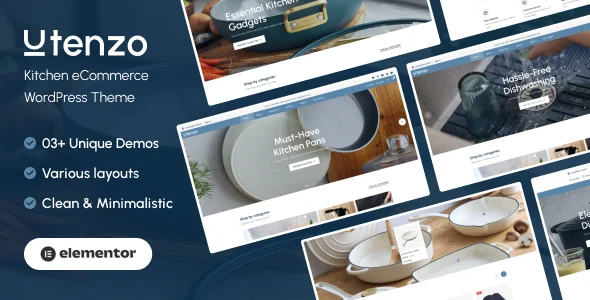
For adjacent verticals, agencies running cookware or kitchenware catalogs can reuse the same Ajax filtering pattern with the Utenzo – Modern WooCommerce Kitchen Store Theme, which applies comparable Elementor grid mechanics to a different product taxonomy.
Who Should Use This Theme?
This theme fits agencies and freelance developers delivering client storefronts in the luxury retail vertical — jewelry shops, handcrafted goods sellers, and vendor marketplaces — who need pre-built homepage layouts (6+), one-click demo import, and WPML-based multilingual output without writing custom templates. Teams standardizing on Elementor Pro and Contact Form 7 will find the integration points already wired. It is not intended for developers who require Gutenberg-first block editing (the theme is explicitly not Gutenberg optimized), nor for site owners who expect to administer multi-vendor vendor data through theme options; that data lives in the vendor plugins’ own schemas. Anyone needing auction-style bidding workflows should evaluate a dedicated codebase such as the iBid – Multi Vendor Auctions WooCommerce Theme instead, since bidding logic sits outside this theme’s scope.
Compatibility & Runtime Requirements
The theme targets standard LAMP WordPress hosting with WooCommerce active; the table below lists verifiable deployment parameters from the official specification.
| Engineering Metric | Deployment Specification |
|---|---|
| Base Technology / Framework | Bootstrap 4.x, HTML5/CSS3 (SCSS sources included), jQuery |
| Runtime Requirements | WordPress 4.9.x – 7.1.x; PHP runtime per WooCommerce template files (updated through v1.0.9) |
| Commerce Engine | WooCommerce 5.x.x – 10.x.x template overrides |
| Page Builder Dependencies | Elementor and Elementor Pro; 24+ custom shortcodes; Revolution Slider bundled |
| Plugin Integrations | Contact Form 7, Jetpack, WPML, WPC Smart Wishlist, WPC Smart Compare, MultiVendorX / Wc Vendors / Dokan |
| Storage / Assets | PHP, CSS, SCSS, JS source files; high-resolution image output; widget-ready sidebars |
How to Install & Deploy the Theme
Deployment follows the standard WordPress theme administration workflow; all modules activate immediately upon enabling the package.
- Environment pre-check: Confirm the server runs a supported WordPress version (4.9.x through 7.1.x), install WooCommerce, and verify Elementor is active since page compositions depend on it.
- Package upload: Transfer the theme archive via the appearance administration uploader or copy the extracted PHP/CSS/JS directories into the themes folder on the server.
- Activation: Click Activate to initialize the theme; required plugins — including the Wpbingo AI Commander integration — register their administrative menus at this point.
- Configuration & testing: Run the one-click demo importer to seed layouts, mega menus, and sample data; then configure headers, footers, and color tokens in the theme options panel, and validate Ajax add-to-cart, search filtering, and cart drawer behavior on a staging URL before release.
When migrating an existing Shopify jewelry catalog into the new WordPress install, the S2W – Import Shopify to WooCommerce plugin handles the product, order, and customer transfer so the demo-imported structure can be populated with live inventory data.
Frequently Asked Questions
Does the theme include Gutenberg block editing support?
No. The official specification marks the theme as not Gutenberg optimized; page and layout construction is performed through the bundled Elementor shortcodes and the header, footer, and mega menu builders instead.
Can vendor data be edited from the theme options panel?
No. Multi-vendor properties are stored in each vendor plugin’s separate database tables, and those plugin developers do not expose write access to the theme, so configuration stays inside MultiVendorX, Wc Vendors, or Dokan.
Is right-to-left layout supported out of the box?
Yes. The features list includes Right To Left Support, so RTL locales render through the theme’s stylesheet layer without requiring custom CSS overrides for mirrored layouts.