Tekmino – IT Solutions Services WordPress Theme
Tekmino IT Solutions Services WordPress Theme: an Elementor and Bootstrap 5.x codebase with 20+ home demos for agencies building IT, SaaS, and hosting sites.

- Daily automated updates
- VirusTotal 0/70 clean
- Licensed under GPL
- Secure 256-bit checkout
- Instant direct cloud link
What Is Tekmino IT Solutions Services WordPress Theme?
Tekmino IT Solutions Services WordPress Theme is a PHP-based WordPress theme, engineered for development agencies and freelance engineers to assemble IT consulting, SaaS, hosting, and cloud service websites without hand-coding layout markup. It resolves the bottleneck of repeatedly rebuilding service, portfolio, and contact flows for technology clients by shipping 20+ pre-assembled home page layouts backed by a core plugin that registers reusable content modules. Within an agency pipeline, it functions as a deployable baseline: teams import a demo in one click, then modify layouts through Elementor’s drag-and-drop editor while overriding templates through a child theme where custom logic is required.
Key Features of the Theme
Requests are processed through the standard WordPress template hierarchy, where PHP template files render the DOM and enqueue compiled CSS (including SCSS sources) and JS assets; Elementor widgets then generate section markup server-side, and runtime behaviors—sticky navigation, hero sliders, counters—are dispatched through client-side libraries rather than page reloads.
Architectural Highlights
- 100+ Custom Elementor Widgets: The bundled TJ Tekmino Core plugin registers widget modules that output services, projects, testimonials, CTA, and FAQ sections, giving developers discrete, editable DOM blocks instead of monolithic static templates.
- Bootstrap 5.x Grid Layer: Layout columns compile on a mobile-first CSS framework, producing responsive breakpoints and 4+ column structures that hold consistent rendering depth across Firefox, Safari, Opera, Chrome, and Edge.
- One-Click Demo Pipeline: A single installer provisions home pages, inner pages, widget assignments, and Kirki customizer defaults, collapsing environment setup to roughly five minutes per demo in staging builds.
- Child Theme Override Path: PHP template files ship unminified so developers can copy templates into a child theme and modify the rendering chain without patching parent files during updates.
- Header/Footer Builder and Kirki Customizer: Color settings, typography settings (Inter and Manrope via Google Fonts), and header/footer structures are bound to theme mods, so global design tokens propagate through every template.
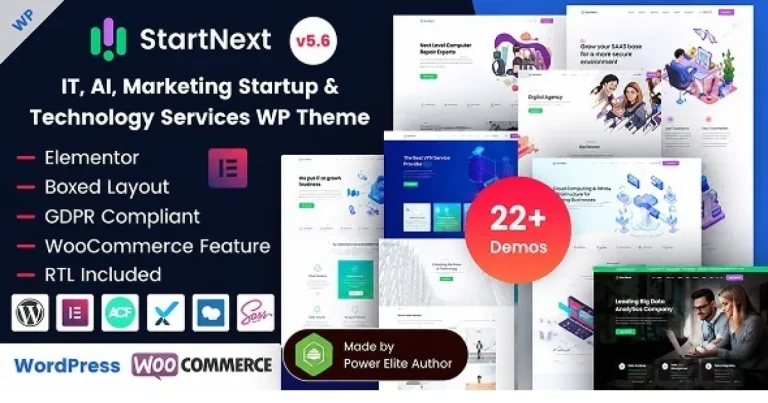
Where a project also demands publishing or editorial surfaces alongside service pages, pairing this codebase with a layout like Flux covers Gutenberg-optimized blog grids, since this package is explicitly not Gutenberg optimized. For adjacent technology verticals such as AI or marketing startups, StartNext offers a comparable Elementor-driven architecture to evaluate against demo requirements.
Who Should Use This Theme?
This package suits WordPress developers and small agency teams delivering client sites for IT consulting firms, software vendors, hosting providers, digital agencies, and technology startups under time constraints. Engineers comfortable inspecting SCSS and JS sources, registering widgets, and overriding template files gain the most control; the included Swiper, GSAP, Venobox, Nice Select, and MeanMenu libraries cover slider, animation, lightbox, and mobile navigation needs without extra dependency wiring. It is a poor fit for operators who require native block-editor editing on every page—the absence of Gutenberg optimization means content editing flows through Elementor—or for headless builds consuming the theme’s frontend markup, since rendering assumes a server-executed WordPress stack.
Compatibility & Runtime Requirements
Deployment assumes a standard LAMP-style WordPress host meeting the theme’s declared version targets before upload.
| Engineering Metric | Deployment Specification |
|---|---|
| Base Technology / Framework | PHP templates, Bootstrap 5.x, SCSS compilation, vanilla JS libraries (Swiper, GSAP, Counter Up, Venobox, MeanMenu, Nice Select) |
| Runtime / Language Requirements | WordPress 6.1.x through 7.1.x; PHP-executed theme files with HTML5/CSS3 output |
| Data Exchange / Communication Protocols | Form submissions handled through Contact Form 7; no external API dependencies declared |
| Core Dependencies / Engine Compatibility | Elementor, Elementor Pro, Contact Form 7, TJ Tekmino Core plugin, Kirki customizer framework |
| Database / Storage Footprint | Standard WordPress database writes (posts, options, widget data) plus media from demo import; no custom schema declared |
How to Install & Deploy the Theme
- Verify the server runs a supported WordPress release (6.1.x–7.1.x) and confirm Elementor and Contact Form 7 are available, since layout editing and the contact page depend on both.
- Upload the theme archive through the WordPress administration interface or transfer the PHP, CSS, SCSS, and JS files to the themes directory via FTP.
- Activate the theme; the administrative menus, Kirki settings panel, and TJ Tekmino Core widget modules initialize immediately and become operational.
- Run the one-click demo import to provision home pages, inner pages, and widgets, then adjust color and typography settings in the customizer, toggle the light demo switcher if required, and validate rendering and form delivery in the target browsers.
Teams running multi-client agency portfolios in adjacent niches—cleaning, home services, or local trade businesses—can reuse the same deployment pattern across Cleandy, which follows an equivalent Elementor and demo-import workflow, reducing onboarding overhead per project.
Frequently Asked Questions
Does the theme support Elementor Pro widgets alongside its own modules?
Yes. The documentation lists Elementor Pro among compatible plugins, so Pro-level container and dynamic features run in addition to the 100+ widgets registered by the TJ Tekmino Core plugin.
Can developers safely update the parent theme after customizing templates?
Yes. The package is child theme compatible: copied template files in a child theme override the parent hierarchy, so parent updates replace only untouched files while customizations persist.
Is the contact page form functional out of the box?
Yes. The contact page ships wired to Contact Form 7, so after activating that plugin and importing a demo, the form sends submissions through the standard CF7 mail handling pipeline.