Waitlist WooCommerce Extension
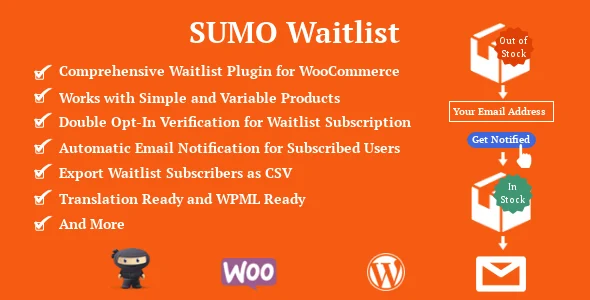
SUMO WooCommerce Waitlist is a WordPress plugin that captures back-in-stock subscribers for out-of-stock products and notifies them by email. Built for WooCommerce store developers.
- Daily automated updates
- VirusTotal 0/70 clean
- Licensed under GPL
- Secure 256-bit checkout
- Instant direct cloud link
What Is SUMO WooCommerce Waitlist?
SUMO WooCommerce Waitlist is a PHP-based WordPress plugin, engineered for WooCommerce store developers and agencies to convert out-of-stock product pages into email capture points that trigger automated restock notifications. It resolves the revenue leakage that occurs when a product sells out and interested buyers abandon the page without any mechanism to register demand. In production storefronts it operates as a demand-collection layer: it records subscriber intent at both product and variation level, then dispatches in-stock alerts through a FIFO email queue tied to inventory state changes.
Key Features of the Plugin
Execution begins on the product page template: when WooCommerce marks a simple product or a specific variation as out of stock, the module injects a subscription form in place of the add-to-cart control via WooCommerce stock hooks, including a troubleshoot path for the woocommerce_get_stock_html filter when a theme overrides the default markup. Form submissions write subscriber records for both registered members and guests, with logged-in users having their email prefilled automatically. Inventory updates later fire the notification pipeline, dispatching in-stock emails in subscription order.
Architectural Highlights
- Dual-level subscription model: Registration binds to simple products at product level and to individual variants of variable products at variant level, so a single out-of-stock attribute combination does not suppress demand tracking for the parent item.
- Conditional email dispatch: Administrators configure automatic in-stock emails gated by a minimum inventory threshold, or send manual alerts to all or selected subscribers; a conversion tracker links email recipients back to completed purchases.
- Double opt-in consent flow: An optional verification email confirms the subscriber before any notification is sent, and an acknowledgement email fires on successful registration, reducing invalid address entries in the queue.
- Data export and logging: Subscriber lists export as CSV per product or across all products (including first name, last name, mobile number, and SKU), an email log records dispatch history with subscriber status, and imports accept subscriber data from prior out-of-stock datasets.
- Store integration hooks: Waitlist counts surface on the backend product dashboard, admin threshold alerts notify when subscriber counts exceed a set maximum, and compatibility extends to HPOS order storage, WPML, Composite Products, and the SUMO Reward Points and SUMO Subscriptions ecosystems.
For merchandising operations that pair restock alerts with grouping strategies, running Product Bundles for WooCommerce alongside this module lets agencies re-engage waitlisted demand across grouped SKU packages rather than single items.
Who Should Use This Plugin?
This codebase targets WooCommerce engineers and agency teams managing catalogs with volatile inventory — limited-drop retailers, seasonal goods sellers, and stores running marketing on out-of-stock URLs that must retain search traffic. It suits developers who need subscription data exportable into external CRM or email workflows via CSV rather than a closed SaaS dependency. Teams migrating catalogs from other platforms can pipe historical subscriber intent in through the import option, and stores consolidating product records with S2W Import Shopify to WooCommerce can rebuild waitlists after the transfer. It is not intended for non-technical operators expecting a standalone hosted newsletter system, and it is not Gutenberg-block based; form placement is governed by template hooks and shortcode embedding instead.
Compatibility & Runtime Requirements
Baseline deployment requires a standard WordPress/WooCommerce LAMP stack; the package ships as JavaScript, HTML, CSS, and PHP files installed through the dashboard.
| Engineering Metric | Deployment Specification |
|---|---|
| Base Technology | PHP/JS/HTML/CSS WordPress plugin (wl.zip) |
| Runtime / Language | WordPress 5.6.x – 6.8.x; tested through WP 6.8.3 |
| Core Dependencies | WooCommerce 5.x – 9.x (tested through 10.3.3); HPOS compatible |
| Data Exchange | Transactional email (opt-in, acknowledgement, in-stock), CSV import/export, email log with retention pruning |
| Storage Footprint | WordPress option/meta tables for subscriber records and settings; no settings lost on upgrade |
How to Install & Deploy the Plugin
Deployment follows the standard WordPress administrative workflow with no external activation dependencies.
- Verify the environment: confirm the server runs a supported WordPress 5.6+ build and WooCommerce 5.x or newer, including HPOS if enabled on the store.
- Upload the package: extract sumowaitlist.zip, then install the inner wl.zip via the WordPress dashboard plugin uploader.
- Activate: click Activate; waitlist administrative menus, product meta boxes, and the My Account subscriber table become operational immediately.
- Configure and test: set subscription restrictions per product, enable double opt-in if consent verification is required, define the automatic in-stock inventory threshold and admin alert maximum, customize email templates and error messages, then submit a test subscription on an out-of-stock product and confirm log entries and export output.
Upgrades use the same path: deactivate and delete the existing version, install the new wl.zip, and reactivate — settings and subscriber data persist. Feeding restock demand into Shopping campaigns is a common next step; pairing this notifier with WooCommerce Google Merchant XML re-exposes restocked SKUs to Google Shopping feeds without manual feed regeneration.
Frequently Asked Questions
Does the subscription form display automatically inside any theme?
Yes, but theme overrides of the stock template can suppress injection. The package includes troubleshoot options for the woocommerce_get_stock_html hook and variable product rendering to force the form to display.
Can subscribers be added or removed without a frontend submission?
Yes. Administrators manually add subscribers to a waitlist, remove old subscribers per product, and logged-in users can leave a waitlist themselves from the Subscribed Products table on their My Account page.
Is the module compatible with WPML and multilingual stores?
Yes. WPML compatibility is supported, translation-ready .po files are included, and an earlier email conflict under WPML was resolved in version 1.1 of the release history.
How are in-stock emails ordered when stock returns?
Notifications dispatch in the sequence in which users subscribed, and administrators can override this by sending manual emails to all subscribers or a selected subset from the backend.