WooCommerce Currency Switcher (Woocs or Fox)
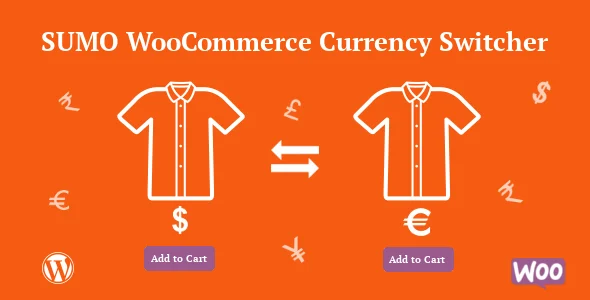
SUMO WooCommerce Currency Switcher is a PHP/WordPress plugin letting WooCommerce developers accept payments in multiple currencies with floating selector, HPOS support, and WPML compatibility.
- Daily automated updates
- VirusTotal 0/70 clean
- Licensed under GPL
- Secure 256-bit checkout
- Instant direct cloud link
What Is SUMO WooCommerce Currency Switcher?
SUMO WooCommerce Currency Switcher is a PHP/JavaScript WordPress plugin, engineered for WooCommerce store developers and agencies to receive payments on a WooCommerce shop across multiple currencies. It resolves the bottleneck of single-currency WooCommerce checkout, where international customers are forced into the store’s base currency regardless of their locale or payment preference. In production workflows, it operates as a storefront-facing pricing and checkout layer, switching displayed and charged currency per customer while preserving default-currency records on cart and checkout screens.
Key Features of the Plugin
The plugin intercepts WooCommerce’s price output pipeline, converts displayed values against the customer’s selected currency, and synchronizes selector state through JavaScript with the cart and checkout context. Its execution spans PHP price filtering on the server side and JS re-rendering of cart totals client side.
Architectural Highlights
- Multi-Currency Payment Acceptance: Extends WooCommerce checkout so payments are charged in the customer’s chosen currency, converting product prices across the shop’s front end.
- Floating Currency Selector: Renders a floating selector widget added in version 1.1, letting customers switch currency from any page; a 1.4.0 fix addressed cases where the selector failed to display the customer’s prior selection.
- Default-Currency Price Reference: Option to display an approximate price in the default currency on cart and checkout screens, giving shoppers a base-currency reference point during order confirmation.
- Price Info Icon and Cents Control: A price info icon option and a Show/Hide Cents toggle give granular control over price formatting and decimal display per currency.
- HPOS and Block Cart Alignment: Version 1.4.0 added High-Performance Order Storage compatibility and fixed block-based cart reverting to default currency when item quantities change, keeping block cart totals synchronized with the selected currency.
For stores pairing multi-currency checkout with promotional logic, this plugin can be layered alongside WooCommerce Flexible Pricing, so rule-based BOGO and cart deals coexist with converted price display.
Who Should Use This Plugin?
This codebase targets WooCommerce engineers and agency teams running international storefronts on standard WordPress 6.1.x through 6.8.x stacks, where customers must see and pay in their own currency. It fits multi-region shops, cross-border donation sites (a 1.3 release patched a SUMO Donation conflict, indicating ecosystem interoperability), and developers who need a self-hosted currency layer without migrating to a headless stack. It is not built for non-technical store owners expecting a page-builder style configuration interface, and it is not Gutenberg-optimized per the published attributes, so block-editor-centric teams should verify block cart behavior on staging before rollout.
Compatibility & Runtime Requirements
Baseline runtime constraints center on the WordPress/WooCommerce PHP ecosystem and the browser engines shipping with the published compatibility matrix.
| Engineering Metric | Deployment Specification |
|---|---|
| Base Technology | PHP, JavaScript JS, HTML, CSS (files included in package) |
| Runtime Ecosystem | WordPress 6.1.x through 6.8.x; tested with WordPress v6.8.3 |
| Commerce Dependency | Native WooCommerce; tested with WooCommerce v10.3.4 |
| Order Storage | High-Performance Order Storage (HPOS) compatibility in v1.4.0 |
| Internationalization Stack | Compatible with WPML |
| Browser Support | IE9, IE10, IE11, Firefox, Safari, Opera, Chrome, Edge |
| Editor Optimization | Gutenberg Optimized: No; High Resolution: No |
Limitations & Technical Considerations
This plugin operates within defined architectural boundaries that developers should model before deployment. It is not Gutenberg-optimized, meaning block-editor surfaces require the version 1.4.0 fixes for block cart currency synchronization, and quantity-change events in block carts were a documented defect path in earlier builds. WooCommerce JS library namespacing is prefixed against WooCommerce 10.3.0, so environments running significantly older WooCommerce builds should be validated for JS conflict drift. Compatibility with WPML is confirmed, but no other translation or multilingual plugins are documented; unlisted integrations need staging verification. The upgrade procedure requires deactivating and deleting the prior version before installing the new one; settings and data persist through that cycle, though a full-site backup remains standard practice for any plugin replacement on a production store. As a front-end currency conversion layer, its rendering depends on the theme’s adherence to native WooCommerce price hooks, so heavily overridden shop templates should be regression-tested. When rebuilding storefront markup entirely, pairing it with Flatsome, a multi-purpose responsive WooCommerce theme, keeps the hook architecture intact while delivering the shop layout layer.
Frequently Asked Questions
Does the plugin preserve settings when upgrading between versions?
Yes. The documented upgrade flow deactivates and deletes the old version before installing the new package, and the changelog states that settings values and data are not lost by following those steps.
Does it work with High-Performance Order Storage enabled?
Yes. Version 1.4.0, released 11 November 2025, explicitly added HPOS compatibility, so stores using WooCommerce’s high-performance order tables can run the switcher without order-storage conflicts.
How is the package structured for installation?
The distributed ZIP contains the installable plugin file (swcs.zip) plus a documentation folder; you install swcs.zip via the WordPress dashboard after unzipping the outer package.
Can customers pay in the currency they selected, or is display-only conversion applied?
Yes, payments are received in multiple currencies. The plugin’s stated purpose is charging WooCommerce orders in the customer’s chosen currency, with optional default-currency approximation shown at cart and checkout.