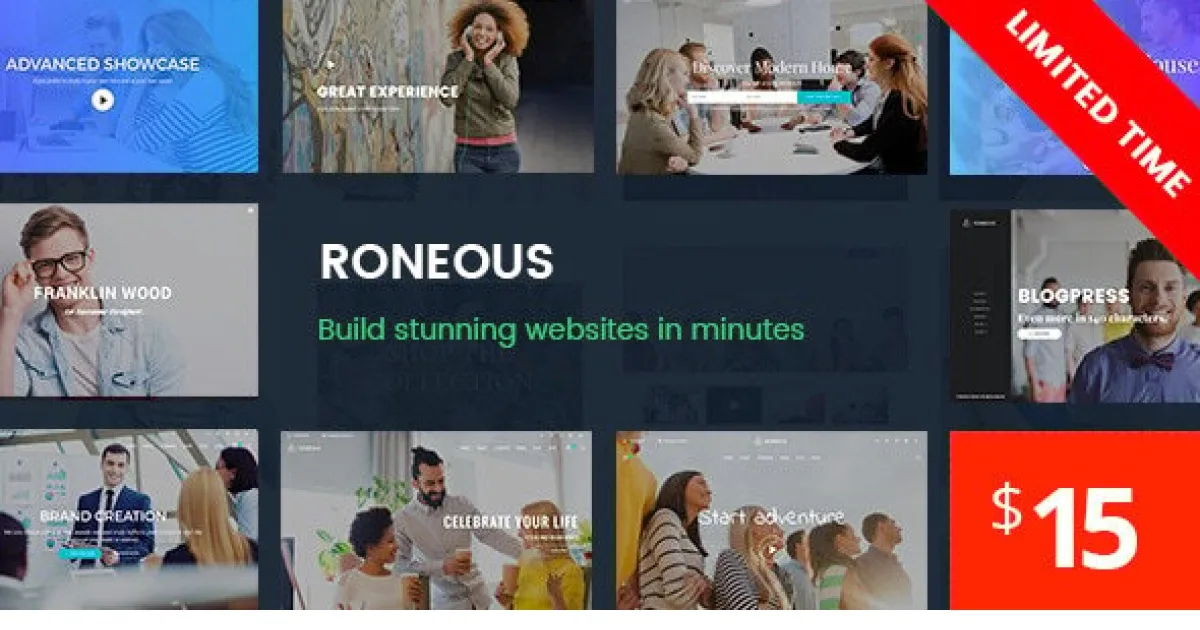
Roneous – Creative Multi-Purpose WordPress Theme
Roneous Creative Multi-Purpose WordPress Theme: a multi-purpose WordPress theme for agencies and developers building flexible Elementor-powered client sites.
- Daily automated updates
- VirusTotal 0/70 clean
- Licensed under GPL
- Secure 256-bit checkout
- Instant direct cloud link
What Is Roneous Creative Multi-Purpose WordPress Theme?
Roneous Creative Multi-Purpose WordPress Theme is a multi-purpose WordPress theme, engineered for agencies and freelance developers to assemble diverse client sites from a single codebase. It resolves the common bottleneck of rebuilding layout scaffolding for every project by shipping a demo-import pipeline, a modular template layer, and page-builder integration that collapses weeks of front-end setup into repeatable configuration. In production workflows, it functions as a base deployment template that teams clone, restyle, and extend per client engagement.
Key Features of the Theme
The theme renders pages by resolving WordPress template hierarchy overrides into prebuilt demo layouts, then hydrating them through the bundled page builder and its widget/shortcode layer. Requests traverse a standard enqueue pipeline where stylesheets and scripts are registered, minified, and conditionally loaded per template, reducing unused asset weight on each view.
Architectural Highlights
- One-click demo import system: A dedicated importer streams demo content, widget assignments, and theme option presets into the database, so a staging site reproduces the reference layout without manual media or menu reconstruction.
- Drag-and-drop page builder integration: Layout composition runs through a visual builder frontend, letting developers restructure sections, columns, and content blocks without editing raw template files.
- Modular header, footer, and megamenu builder: Navigation structures, masthead variants, and footer compositions are assembled from discrete components and assigned per page, decoupling global chrome from individual templates.
- Responsive control breakpoints: Typography, spacing, and grid behavior expose per-device overrides, letting engineers tune mobile rendering independently of desktop output and limit layout shift on small viewports.
- Portfolio and blog post-type layouts: Custom portfolio templates with filterable grids and multiple single-post formats cover agency showcase and editorial use cases out of the box.
When a project outgrows generic multi-purpose layouts, teams frequently branch into domain-specific bases; for editorial and publisher deliverables, deploying Fonix Newspaper Magazine WordPress Theme provides demo-driven news layouts that cut custom template development time.
Who Should Use This Theme?
This codebase fits agency development teams and independent WordPress engineers managing multiple mid-sized client builds — corporate sites, agency portfolios, startup landing pages, and personal brand sites — where rapid demo-based setup plus builder-level customization is the delivery model. It also suits maintainers who prefer configuring through admin panels rather than forking child templates for every structural change. It is not intended for developers building fully headless or decoupled WordPress architectures, nor for site owners who expect zero configuration: extracting value from the demo import, builder widgets, and option panels still requires working knowledge of WordPress administration and basic front-end concepts.
Compatibility & Runtime Requirements
The package runs on a standard LAMP-based WordPress stack with no proprietary server extensions required beyond core platform prerequisites.
| Engineering Metric | Deployment Specification |
|---|---|
| Base Technology / Framework | WordPress theme layer (PHP templating, HTML5/CSS3/JavaScript assets) |
| Runtime / Language Requirements | PHP per current WordPress core minimums; MySQL/MariaDB persistence |
| Data Exchange / Communication Protocols | HTTP/HTTPS for demo content import and asset loading; standard WP admin AJAX actions |
| Core Dependencies / Engine Compatibility | WordPress core; bundled page builder integration; standard plugin ecosystem (contact forms, portfolio components) |
| Database / Storage Footprint | Theme options persisted in the wp_options table; demo import writes posts, media attachments, menus, and widget records |
How to Install & Deploy the Theme
- Environment Pre-check: Confirm the host runs a compatible PHP version, an empty WordPress installation at the latest core release, and adequate upload_max_filesize and PHP memory limits for the demo content archive.
- Package Upload: Transfer the theme archive via Appearance → Add New → Upload Theme in the administration interface, or extract it directly into wp-content/themes over SFTP for larger files.
- Direct Activation: Click Activate; the theme registers its options panel, menus, widget areas, and builder components immediately, making all core modules operational with no additional gating steps.
- Configuration & Testing: Install and run the demo importer from the theme dashboard, assign static home page settings, configure header and footer compositions, then validate responsive output and Core Web Vitals behavior on a staging URL before go-live.
For projects needing commerce or directory functionality beyond the base portfolio and page layouts, the same deployment pattern applies to specialized bases: MyListing Directory Listing WordPress Theme extends the architecture with custom listing types and user dashboards when a client brief demands marketplace data models.
Frequently Asked Questions
Does the theme include a one-click demo import for all listed demo variants?
Yes. The bundled importer streams demo pages, posts, media, menus, widgets, and option presets into a fresh WordPress installation, reproducing the reference layouts. Individual demo selections can be imported selectively, and content remains fully editable after import.
Can headers, footers, and menus be customized without editing template files?
Yes. The theme provides dedicated builders for header, footer, and megamenu structures through the administration panel. Developers assemble components, assign them globally or per page, and adjust responsive breakpoints without touching PHP template source.
Is the layout editable through a visual page builder rather than hardcoded shortcodes?
Yes. Sections and content blocks are composed and rearranged in a drag-and-drop builder frontend, with per-element responsive controls. Underlying WordPress templates still apply for archives and single-post views, so builder edits govern page-level markup.